
FingerLens: Magic Gesture
DownloadApp details
- Version
- 1.0.8
- Updated
- 04.10.2026
- Category
- AI
- Compatibility
- Android 7.0+
- Package name
com.camera.filter.finger.magic.lens- Developer
- Doly Studio
- Source
- Official Google Play page
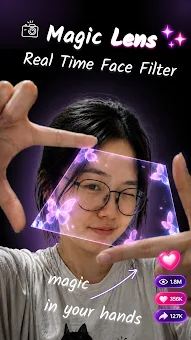
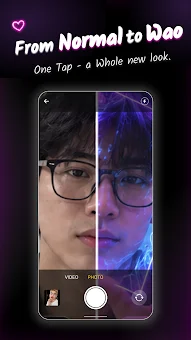
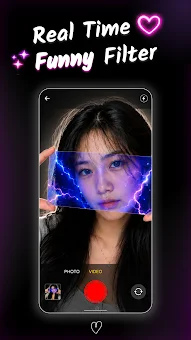
FingerLens: Magic Gesture is a unique augmented reality application that transforms simple hand gestures into captivating camera filters. By using just your hands, you can create visual effects directly in the air, adding a new level of interactivity and creativity to your photo and video sessions. The technology allows you to form a frame in front of the camera lens using your thumb and index finger, and the filter appears exactly within that space.
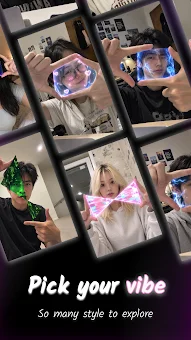
This creates an illusion that you are holding the filter in front of your face, making the experience feel tangible and immersive. The app offers a wide selection of visual styles that can be explored and applied in real-time. Among the available effects, you will find the iconic Matrix style, vibrant neon, thermal mode, color inversion (negative), and glitch effects.
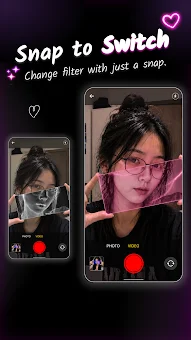
Each option allows you to create a unique visual image that grabs attention. You can change the position of your hands, experiment with viewing angles, and combine different styles to find the perfect variant for your mood or photo theme. One of the most convenient features of FingerLens is the ability to switch filters instantly with a finger snap.
You no longer need to constantly touch the screen to change the effect, making the shooting process smoother and more natural. Just snap your fingers, and the next style activates automatically.
How to install the app
- Check the version, Android compatibility, developer and source in the app details block.
- Open the Downloads tab and use the official source or an available catalog link.
- Before installing, review app permissions and use only sources you trust.
Frequently asked questions
How do I switch between different filters in FingerLens?
You can switch between filters instantly by snapping your fingers. This gesture activates the next style without needing to touch the screen, making the process smoother and more natural.
What visual styles are available in the FingerLens app?
The app includes a variety of styles such as the Matrix effect, vibrant neon, thermal mode, color inversion, and glitch effects. You can combine these to create unique visual images.
Is FingerLens suitable for professional content creators?
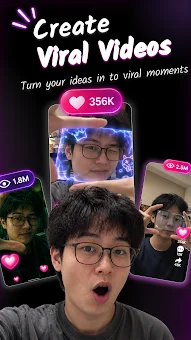
Yes, the app is ideal for bloggers and videographers who want to add originality to their content. It allows for real-time filter application and easy sharing to social networks.
Do I need to touch the screen to change effects?
No, one of the key features is the ability to switch filters with a finger snap. This eliminates the need for constant screen touching, keeping your view clear.
Similar apps








No comments yet. Be the first!