
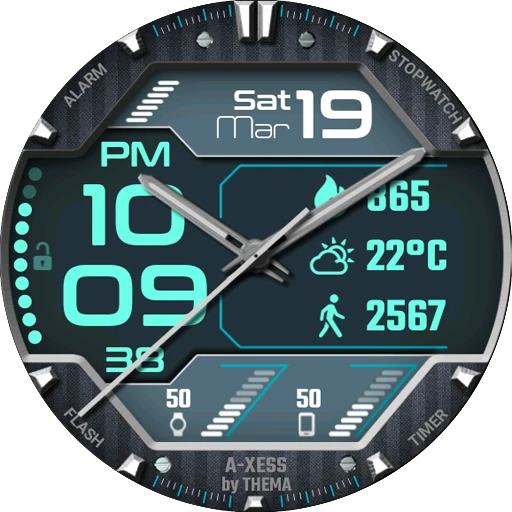
A-Xess Watch Face
Open in Google PlayApp details
- Version
- 1.26.09.0501
- Updated
- 14.09.2026
- Category
- Systemic
- Compatibility
- Android 10+
- Package name
fr.thema.wear.watch.axess- Source
- Official Google Play page
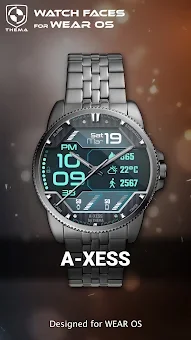
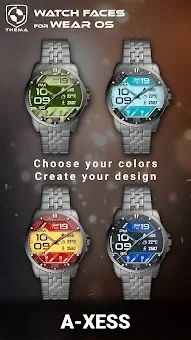
A-Xess Watch Face is a highly customizable Android APK designed for Wear OS smartwatches, offering users extensive control over their device's aesthetic and functional display. This application allows you to personalize your watch interface with various design colors, date formats, and battery indicators for both the watch and mobile device. It supports multiple Wear OS versions, including 2.X, 3.X, 4.X, and 6.X, ensuring broad compatibility across different smartwatch models and operating system updates.
The app provides a robust set of free settings that let you adjust the heartbeat frequency refresh rate, weather update intervals, and time display modes. You can choose between 12 or 24-hour formats, toggle ambient modes for black and white or eco luminosity, and decide whether to display leading zeros or brand names. These options are easily accessible via the Wear OS app on your paired mobile device, where you can hit the gear icon over the watch face preview to open the settings screen.
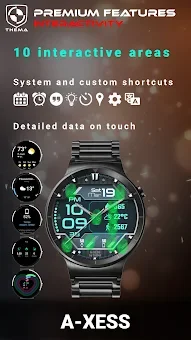
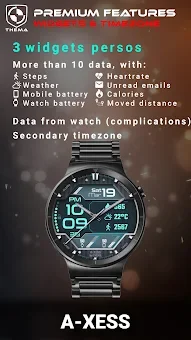
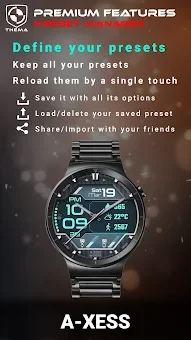
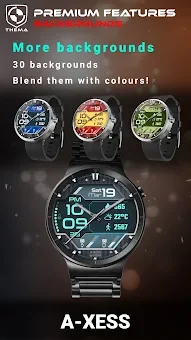
Premium users unlock advanced features such as custom titles, background styles, and secondary timezone displays. The interactive mode allows you to access detailed data by touching widgets, switch displayed information, and assign shortcuts to any installed application on your watch.
How to install the app
- Check the version, Android compatibility, developer and source in the app details block.
- Open the official app page on Google Play if a link is available.
- Before installing, review app permissions and use only sources you trust.
Frequently asked questions
What Wear OS versions does A-Xess Watch Face support?
A-Xess Watch Face supports Wear OS versions 2.X, 3.X, 4.X, and 6.X, offering specific features and settings tailored to each operating system version for optimal performance.
How do I install the A-Xess Watch Face APK?
After installing the mobile companion app, a notification appears on your watch to start the installation. For Wear OS 6.X, use the MANAGE button in the watchface shortcut to update or upgrade the face.
Can I customize the interactive widgets on the watch face?
Yes, premium users can customize interactive widgets by touching them to access detailed data, switch displayed information, and assign shortcuts to any application installed on the watch.
Does A-Xess Watch Face require a companion app?
Yes, the settings are managed via the Wear OS app on your mobile device. You can access the settings screen by hitting the gear icon over the watch face preview on your phone.
Similar apps







No comments yet. Be the first!