

Augment Scooters
DownloadApp details
- Version
- 7.19.0
- Updated
- 09.10.2026
- Category
- Navigators and taxis
- Compatibility
- Android 7.0+
- Package name
eco.augment.production- Source
- Official Google Play page
Enhance your life with a personal scooter! With Augment, you can take control of your rides. This app allows you to manage your scooter and unlock its true potential.
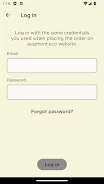
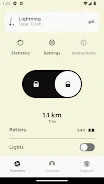
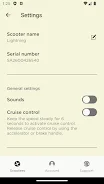
Here’s how Augment works: first, download the app. Then, use the same account you used for ordering. Customize your scooter settings to your liking and discover the real capabilities of Augment.
Why choose Augment? Wouldn't it be great to control your rides and personal journeys with your own scooter? Enjoy a hassle-free service offered by Augment, as your personal scooter is available in Finland, Sweden, Denmark, Austria, and France.
Augment is beneficial for anyone seeking convenience and flexibility in transportation. It’s perfect for daily commutes to work or leisurely city outings. With customizable settings, you gain complete control over your scooter.
In conclusion, download the Augment app and experience what mobility should be like in today's world! Please note that the locking feature is currently not supported for scooters with serial numbers between SA250020001 and SA250020600.
How to install the app
- Check the version, Android compatibility, developer and source in the app details block.
- Open the Downloads tab and use the official source or an available catalog link.
- Before installing, review app permissions and use only sources you trust.
Frequently asked questions
What is Augment Scooters?
Augment Scooters is an app that allows you to manage your personal scooter and customize its settings.
Where is Augment available?
Augment is available in Finland, Sweden, Denmark, Austria, and France.
How do I use Augment?
Download the app, log in with your account, and customize your scooter settings.
Is there a locking feature?
The locking feature is not supported for scooters with specific serial numbers.


No comments yet. Be the first!