

Auto Clicker - Automatic tap
Open in Google PlaySpaceAPK does not provide APK files. A listed Google Play link is a reference: check the store for availability, version, price and paid features. The catalog version is not offered as a downloadable file.
App details
- Recorded version
- 2.3.0
- Updated
- 27.09.2025
- Category
- Tools
- Compatibility
- Android 7.0+
- Package name
com.truedevelopersstudio.automatictap.autoclicker- Developer
- True Developers Studio
- Source
- Google Play reference
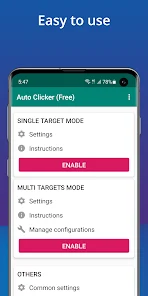
The Auto Clicker - Automatic tap application is a powerful utility designed to automate the process of repeated taps on any area of your Android screen. This tool allows you to set a specific interval for taps, giving you full control over the speed and frequency of interactions. One of its main advantages is that it does not require root access to function correctly, making it accessible to a wide range of Android users who want to streamline their device usage without modifying system permissions.
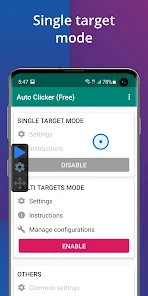
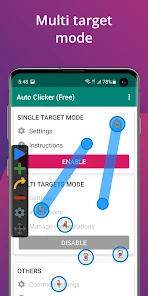
A key feature of this app is the floating control panel, which enables you to easily start or stop automatic tapping at any moment. This interface is user-friendly and intuitive, making it suitable even for beginners who may not be tech-savvy. The app supports multiple tap points, allowing you to target different areas of the screen simultaneously.
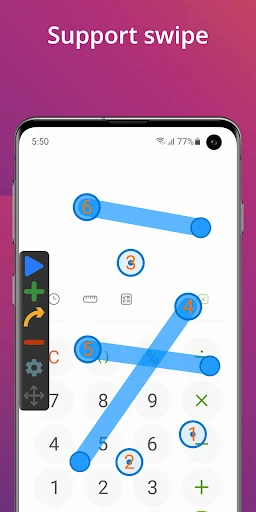
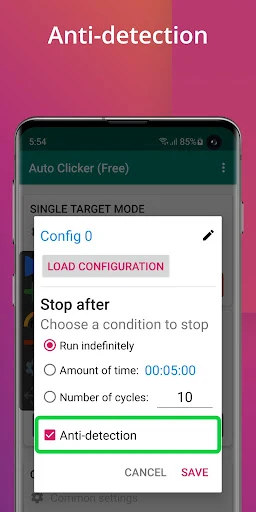
Additionally, it supports multiple gestures, providing flexibility for various automation tasks beyond simple tapping. The application includes a convenient global timer that allows you to set a precise duration for the auto-clicker to run. Once the set time elapses, the process stops automatically, ensuring you do not waste battery or data on unnecessary actions.
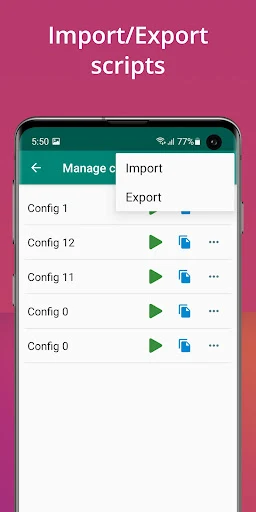
Users can also import and export ready-made automation scripts, making the configuration process flexible and adaptable to individual needs.
Availability and source
- Check the version, Android compatibility, developer and source in the app details block.
- Open the official app page on Google Play if a link is available.
- Before installing, review app permissions and use only sources you trust.
Frequently asked questions
Does Auto Clicker require root access to work?
No, the Auto Clicker - Automatic tap application does not require root access to function correctly, making it compatible with standard Android devices.
What Android versions are supported by this app?
The application supports devices running Android 7.0 and newer versions, ensuring broad compatibility with most modern smartphones and tablets.
Can I save and reuse automation scripts?
Yes, users can import and export ready-made automation scripts, allowing for flexible configuration and reuse of specific tap patterns and gestures.
How does the app simulate taps on the screen?
The app uses the Android Accessibility service to simulate taps and gestures, which is the standard and secure method for screen interaction automation.
Similar apps





No comments yet. Be the first!