
Background Camera
Open in Google PlaySpaceAPK does not provide APK files. A listed Google Play link is a reference: check the store for availability, version, price and paid features. The catalog version is not offered as a downloadable file.
App details
- Recorded version
- 3.3.19
- Updated
- 20.09.2026
- Category
- Tools
- Compatibility
- Android 12+
- Package name
com.arbelsolutions.backgroundcapturecamera- Source
- Google Play reference
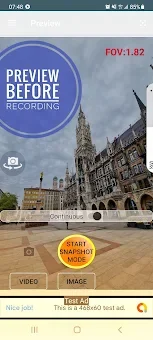
Background Camera is a powerful Android application designed to transform your smartphone into a discreet surveillance device. It allows you to take photos and record video in the background, meaning the app can operate even when your screen is locked or you are using other applications. This feature is particularly useful for monitoring your home or office without drawing attention to the device.
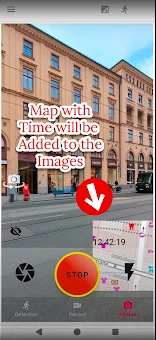
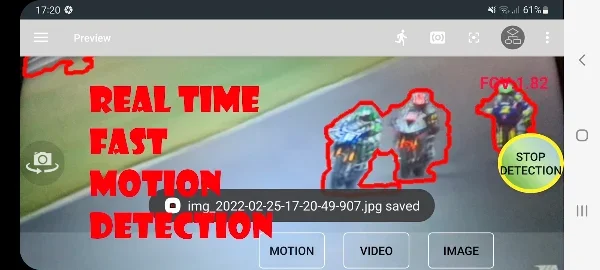
You can even use the motion detection function to turn the app into a security camera that protects your property effectively. The app supports continuous photography in the background, initiated by a large orange button. Key features include repeated photography, motion detection, video recording, and child monitoring.
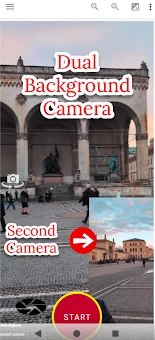
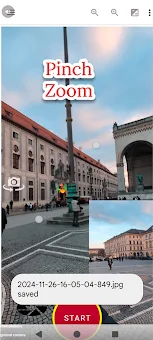
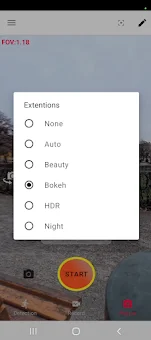
Recent updates have added support for dual cameras on compatible devices using CameraX, as well as enhancements for night mode, HDR, and bokeh effects. This makes the software ideal for those who want to monitor their environment using one smartphone as a discrete camera and another device or TV as a monitor. You can place the phone in a different Wi-Fi network to track events from the office or while traveling.
The program is also perfect for converting an Android device into a baby monitor with a live video and audio stream. Simply scan the generated QR code on the website and press Start. No personal data is required, making it a private and secure option for remote monitoring.
Availability and source
- Check the version, Android compatibility, developer and source in the app details block.
- Open the official app page on Google Play if a link is available.
- Before installing, review app permissions and use only sources you trust.
Frequently asked questions
Can Background Camera record video with the screen off?
Yes, the app allows you to start and continue recording video even when the Android screen is closed or locked, ensuring continuous monitoring.
Does the app support motion detection alerts?
Absolutely, you can activate motion detection to receive sound notifications and automatically capture images or videos when movement is detected.
Is personal data required to use the app?
No personal data is required to use the core features, making it a private solution for remote viewing through secure servers without complex account setups.
Can I use this app as a baby monitor?
Yes, you can convert your Android device into a baby monitor by scanning a QR code to stream live video and audio to another device or TV.
Similar apps



No comments yet. Be the first!