
Bluelight Filter - Eye Care
DownloadApp details
- Version
- 2.3.20
- Updated
- 01.10.2026
- Category
- Tools
- Compatibility
- Android 5.1.1+
- Package name
com.meihillman.eyeprotection- Source
- Official Google Play page
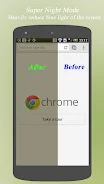
The blue light emitted from screens is a major cause of eye strain and vision deterioration. With the Bluelight Filter app, you can easily alleviate these issues. This application reduces blue light exposure, helping to relieve eye fatigue and protect your vision.
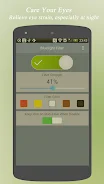
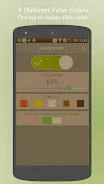
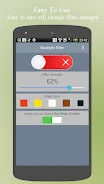
It offers five different filter colors to choose from, as well as the ability to dynamically adjust the filter strength according to your needs. The app is designed for stability, significantly reducing the likelihood of crashes, making it a reliable companion for your daily screen use. Completely free and user-friendly, Bluelight Filter provides convenient access from the status bar, allowing you to customize the settings with ease.
It is compatible with Android 5.1.1 and newer versions, including Android M. This app is particularly beneficial for anyone who spends extended periods in front of screens, such as students, office workers, or anyone who experiences discomfort from prolonged gadget use. In summary, Bluelight Filter is a simple yet effective tool for protecting your eyes from harmful blue light, ensuring a more comfortable viewing experience and maintaining your eye health.
How to install the app
- Check the version, Android compatibility, developer and source in the app details block.
- Open the Downloads tab and use the official source or an available catalog link.
- Before installing, review app permissions and use only sources you trust.
Frequently asked questions
What is Bluelight Filter?
Bluelight Filter is an Android app that reduces blue light exposure from screens to alleviate eye strain.
Is Bluelight Filter free to use?
Yes, Bluelight Filter is completely free and easy to use.
What Android versions are supported?
Bluelight Filter is compatible with Android 5.1.1 and newer versions.
Can I customize the filter settings?
Yes, the app offers five different filter colors and adjustable filter strength.
Similar apps






No comments yet. Be the first!