

Camera Translator All Translat
DownloadApp details
- Version
- .
- Updated
- 27.09.2026
- Category
- Tools
- Compatibility
- Android 6.0+
- Package name
com.playkg.cameratranslator- Source
- Official Google Play page
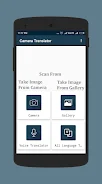
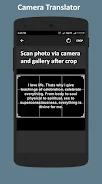
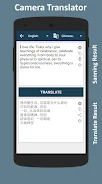
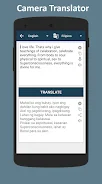
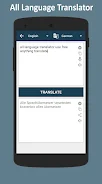
Camera Translator All Translat is a powerful application that combines three types of translators: camera translation, voice translation, and universal text translation. With support for over 150 languages, it serves as an ideal assistant for anyone frequently facing language barriers. The app boasts an intuitive interface and modern design, making it easy to use for all users.
You can translate text from photographs by simply taking a snapshot, and the app will recognize the text for you. The voice translation feature converts spoken words into text, facilitating seamless communication. Additionally, users can easily copy and paste text for translation, and the app automatically saves translation history for quick access.
This tool is especially beneficial for tourists traveling in various countries, as well as for students and professionals needing fast and accurate translations. Whether you encounter foreign languages in daily life or wish to learn new languages, this app is an essential resource. In summary, Camera Translator All Translat is a convenient and functional application that allows you to translate text effortlessly using camera or voice commands.
With its extensive language support, you can communicate and access information without language barriers, making this app an indispensable companion for travel and education.
How to install the app
- Check the version, Android compatibility, developer and source in the app details block.
- Open the Downloads tab and use the official source or an available catalog link.
- Before installing, review app permissions and use only sources you trust.
Frequently asked questions
What languages does Camera Translator All Translat support?
The app supports over 150 languages for translation.
How does the camera translation feature work?
Simply take a photo, and the app will recognize and translate the text.
Is the app user-friendly?
Yes, it has an intuitive interface suitable for all users.
Can I save my translation history?
Yes, the app automatically saves your translation history.
Similar apps


No comments yet. Be the first!