
Camly Pro - fotoredaktor
Open in Google PlaySpaceAPK does not provide APK files. A listed Google Play link is a reference: check the store for availability, version, price and paid features. The catalog version is not offered as a downloadable file.
App details
- Recorded version
- 1.9
- Updated
- 27.11.2021
- Category
- Arcade
- Compatibility
- Android 3.0
- Package name
com.camlyapp.camlypro- Source
- Google Play reference
Camly Pro is a sophisticated photo editing application designed specifically for mobile devices running the Android platform. It empowers users to transform ordinary images into stunning visual masterpieces without requiring any specialized knowledge or artistic skills. Whether you are a casual photographer or a social media enthusiast, this APK offers an intuitive interface that makes professional-grade editing accessible to everyone.
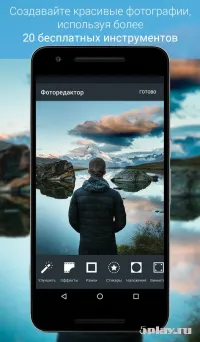
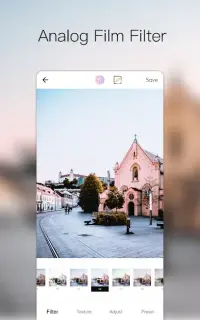
The app ensures that you can achieve high-quality results with just a few taps, making it an essential tool for enhancing your digital memories. One of the standout features of Camly Pro is its extensive library of ready-made filters and collages. These tools allow you to instantly apply professional looks to your photos, adjusting colors, contrast, and lighting to suit your aesthetic preferences.
You can also utilize various frames and professional instruments to add depth and structure to your images. The ability to layer stickers and custom text gives you full creative control, enabling you to personalize every detail of your photo exactly as you envision it. Creating unique visual content has never been easier with this robust Android application.
You can combine multiple elements to craft complex compositions that stand out in a crowded feed. The editing tools are designed to be user-friendly yet powerful enough to handle detailed adjustments.
Availability and source
- Check the version, Android compatibility, developer and source in the app details block.
- Open the official app page on Google Play if a link is available.
- Before installing, review app permissions and use only sources you trust.
Frequently asked questions
Is Camly Pro available for Android devices?
Yes, Camly Pro is a dedicated application designed for mobile devices running the Android platform, offering a robust set of editing tools.
Do I need experience to use the filters in Camly Pro?
No, the app is designed for users of all skill levels, allowing you to create professional-looking photos without any prior editing experience.
Can I share my edited photos directly to social media?
Absolutely, Camly Pro allows you to send your finished images directly to social networks, making it easy to share your creativity with friends.
What features are included in the photo editor?
The editor includes numerous ready-made filters, collages, frames, professional instruments, and the ability to add stickers and custom text to your images.
Similar apps



No comments yet. Be the first!