

Cl@ve
Open in Google PlaySpaceAPK does not provide APK files. A listed Google Play link is a reference: check the store for availability, version, price and paid features. The catalog version is not offered as a downloadable file.
App details
- Updated
- 22.10.2026
- Category
- Tools
- Compatibility
- ANDROID
- Package name
es.aeat.pin24h- Developer
- Agencia Estatal de Administración Tributaria
- Source
- Google Play reference
Cl@ve serves as a robust digital identity system designed to facilitate secure interactions between users and Public Administrations. This application allows individuals to electronically identify themselves, streamlining access to government services and administrative procedures. Whether you are a new user or an existing registered member, the app provides a seamless pathway to manage your digital credentials efficiently.
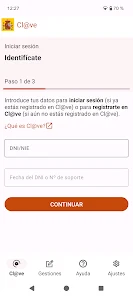
For those who are not yet registered, the Cl@ve app offers a straightforward registration process. You can sign up directly from the application, ensuring that your digital identity is established quickly and securely. Once registered, you can activate your device using your DNI or NIE through a simple SMS verification method.
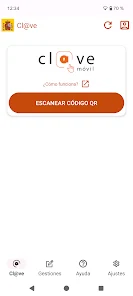
Alternatively, users with an electronic certificate can activate their device using that credential, providing flexibility based on your existing digital assets. Once your device is activated, the app becomes a powerful tool for managing authentication requests. You can confirm authentication requests from Cl@ve Móvil with ease, ensuring that your access to various services is verified and secure.
Availability and source
- Check the version, Android compatibility, developer and source in the app details block.
- Open the official app page on Google Play if a link is available.
- Before installing, review app permissions and use only sources you trust.
Frequently asked questions
How do I register for Cl@ve using the app?
You can register directly from the Cl@ve application if you are not already registered in the system. The process is designed to be simple and allows you to establish your digital identity quickly.
What methods are available to activate my device?
You can activate your device using your DNI or NIE via SMS, or by using your electronic certificate. This provides flexibility depending on the credentials you already possess.
What can I do once my Cl@ve device is activated?
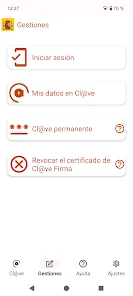
Once activated, you can confirm authentication requests from Cl@ve Móvil and access the Cl@ve PIN needed for various administrative procedures. It also grants access to the Cl@ve system procedures.
Similar apps







No comments yet. Be the first!
Leave a comment