

Clean Inspector
DownloadApp details
- Version
- 1.0.2
- Updated
- 14.10.2026
- Category
- Tools
- Compatibility
- Android
- Package name
com.cleaninspector.mobile.app- Source
- Official Google Play page
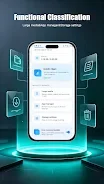
Clean Inspector is a user-friendly application designed to help you maintain order on your device. It focuses on two main tasks: organizing unnecessary files that occupy space on your phone, and removing apps that you no longer need. With its intuitive interface, Clean Inspector makes these processes easy and quick.
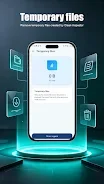
The app allows you to easily find and delete redundant files, freeing up valuable space on your device. This is particularly useful for those who frequently discover their device cluttered with unwanted files and applications. Clean Inspector also provides the ability to swiftly and effortlessly uninstall applications that you no longer use, making it a great tool for both casual users and those who rely on their phones for work.
The simple and clear design ensures that users can navigate the app comfortably. In summary, Clean Inspector is an effective way to organize your device, free up space, and get rid of unnecessary applications. Use it to make your phone more convenient and functional.
How to install the app
- Check the version, Android compatibility, developer and source in the app details block.
- Open the Downloads tab and use the official source or an available catalog link.
- Before installing, review app permissions and use only sources you trust.
Frequently asked questions
What is Clean Inspector?
Clean Inspector is an app that helps organize files and uninstall unnecessary applications on your Android device.
How does Clean Inspector work?
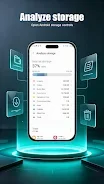
It scans your device for unnecessary files and apps, allowing you to easily manage and remove them.
Is Clean Inspector free to use?
Yes, Clean Inspector is available for free download on Android devices.
Can Clean Inspector help free up space?
Absolutely! It helps you delete unwanted files and apps, freeing up storage on your device.
Similar apps










No comments yet. Be the first!