

CPU-Z
Open in Google PlaySpaceAPK does not provide APK files. A listed Google Play link is a reference: check the store for availability, version, price and paid features. The catalog version is not offered as a downloadable file.
App details
- Recorded version
- 1.36
- Updated
- 25.11.2021
- Category
- Arcade
- Compatibility
- Android 2.2
- Package name
com.cpuid.cpu_z- Source
- Google Play reference
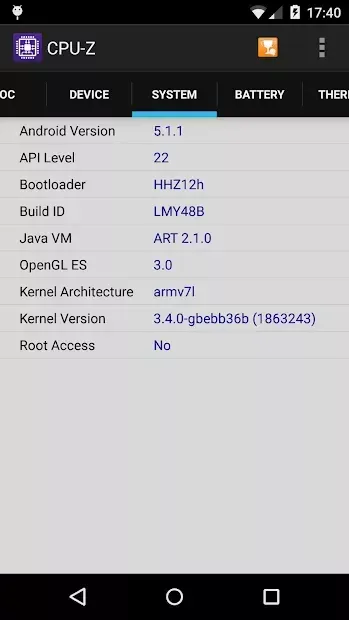
CPU-Z is a powerful and lightweight system information tool designed specifically for Android devices. It provides detailed insights into your device's hardware and software configuration, allowing you to monitor performance and diagnose issues with ease. This utility is indispensable for tech enthusiasts and casual users alike who want to understand the inner workings of their smartphones or tablets.
The app offers comprehensive data about the CPU, including its architecture, clock speeds, and core status. You can view real-time information on the processor's activity, ensuring that your device is running at optimal levels. Additionally, it displays details about the memory, including the amount of free and used RAM, helping you manage resources effectively to keep your apps running smoothly.
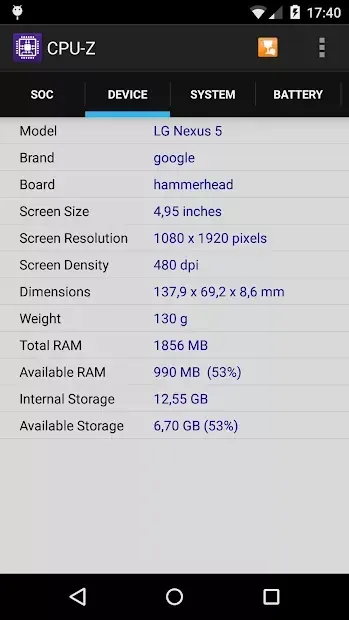
Beyond the processor, CPU-Z provides valuable information about the device's display, such as resolution and refresh rate. You can also check the model of your device and other critical hardware components. This level of detail helps you verify the specifications of your gadget, ensuring that you have accurate information for troubleshooting or upgrading purposes.
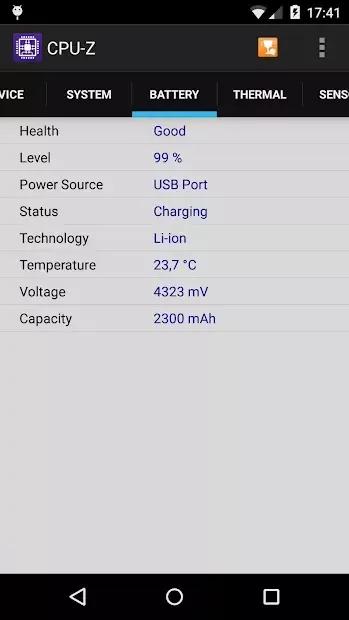
Battery monitoring is another key feature, allowing you to track the charge level, voltage, and temperature. By keeping an eye on these parameters, you can identify potential battery issues early and extend the lifespan of your device.
Availability and source
- Check the version, Android compatibility, developer and source in the app details block.
- Open the official app page on Google Play if a link is available.
- Before installing, review app permissions and use only sources you trust.
Frequently asked questions
What information does CPU-Z provide for Android devices?
CPU-Z provides detailed hardware and software information, including CPU architecture, clock speeds, RAM usage, battery status, and device model details.
Is CPU-Z free to use on Android?
Yes, CPU-Z is generally available as a free application on the Google Play Store, offering essential system monitoring tools without any cost to the user.
Can I monitor my battery health with CPU-Z?
Yes, CPU-Z allows you to track battery charge level, voltage, and temperature, helping you monitor the health and performance of your device's battery over time.
Does CPU-Z work on all Android devices?
CPU-Z is compatible with most Android devices, providing accurate system information for a wide range of smartphones and tablets running various Android versions.
Similar apps








No comments yet. Be the first!