
DIY Keyboards & Fonts
Open in Google PlayApp details
- Version
- 1.1.0
- Updated
- 04.09.2026
- Category
- Systemic
- Compatibility
- Android
- Package name
com.jedy.fonts.emoji.sticker.keyboard- Source
- Official Google Play page
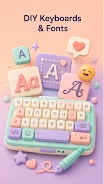
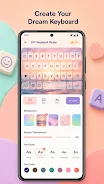
DIY Keyboards & Fonts is a versatile Android application that transforms your standard typing experience into a personalized creative project. This tool allows you to turn a regular keyboard into a unique accessory that matches your mood and aesthetic preferences. The app provides simple yet powerful design tools where you can experiment with background images, color schemes, key transparency, and font styles.
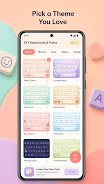
You can choose from a gallery of ready-made themes or create a custom layout from scratch, adjusting every detail before saving your design. The built-in editor enables quick changes without complex settings. You can upload a personal photo from your gallery as a background, adjust key colors and opacity, and select specific font styles.
A key feature is the real-time preview, which lets you see the results of your changes immediately, helping you avoid mistakes. The app supports various styles, ranging from classic and minimalist to cute, natural, festive, and trendy designs. This flexibility ensures that users can find a look that perfectly suits their personality.
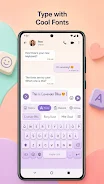
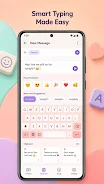
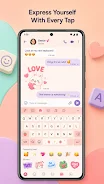
A significant portion of the app focuses on emojis and fonts. The built-in emoji keyboard provides fast access to symbols and reactions, making communication more expressive. You can use these elements in chats, comments, photo captions, and daily conversations.
How to install the app
- Check the version, Android compatibility, developer and source in the app details block.
- Open the official app page on Google Play if a link is available.
- Before installing, review app permissions and use only sources you trust.
Frequently asked questions
Can I save multiple custom keyboard designs?
Yes, the free version allows you to save up to three custom designs. You can create multiple layouts and switch between them as needed.
Does the app support Unicode fonts for social media?
Yes, the built-in font tool converts ordinary text into stylish Unicode format, which is perfect for formatting bios and posts on social media platforms.
Is there a clipboard feature in the app?
Yes, the app includes a built-in clipboard that stores recently copied texts. You can manage the history and insert saved texts into any field easily.
Can I use my own photos as keyboard backgrounds?
Absolutely. You can upload a photo from your gallery to use as a background for your keyboard keys, allowing for complete visual personalization.
Similar apps



No comments yet. Be the first!