

DuckDuckGo
DownloadApp details
- Updated
- 25.10.2026
- Category
- Tools
- Compatibility
- ANDROID
- Package name
com.duckduckgo.mobile.android- Developer
- DuckDuckGo
- Source
- Official Google Play page
DuckDuckGo is the private web browser and search engine designed with your personal data protection as its primary goal. Unlike many popular browsers that track your activity, DuckDuckGo does not collect your browsing history or search queries. We believe the best way to protect your privacy is to prevent data collection altogether, rather than just hiding it after the fact.
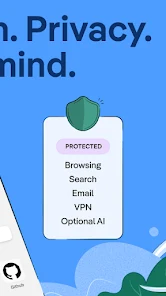
Millions of users choose DuckDuckGo as a reliable alternative to Chrome because its built-in search engine operates securely, and the browser effectively blocks intrusive ads, video ads, and cookie windows, reducing attention tracking and preventing companies from gathering your information. The browser is completely free, and the company earns revenue through private search ads rather than exploiting your personal data. Key features include customizable search protection and browsing history protection thanks to the blocking of third-party tracker downloads, which significantly exceeds the standard capabilities of many popular browsers.
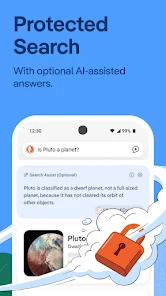
You can communicate privately with artificial intelligence through Duck.ai, using anonymized models whose data is never used for AI training. Additionally, email protection is available, blocking trackers and hiding your primary email address using @duck.com addresses. The browser automatically forces HTTPS connections for many sites, protecting your data from network interception.
How to install the app
- Check the version, Android compatibility, developer and source in the app details block.
- Open the Downloads tab and use the official source or an available catalog link.
- Before installing, review app permissions and use only sources you trust.
Frequently asked questions
Is DuckDuckGo free to use on Android?
Yes, DuckDuckGo is a completely free browser and search engine that does not charge users for any of its core privacy features or services.
Does DuckDuckGo track my browsing history?
No, DuckDuckGo does not collect or store your browsing history or search queries, ensuring your online activity remains private and anonymous.
How does DuckDuckGo protect my data?
It blocks third-party trackers, forces HTTPS connections, and uses local App Tracking Protection to prevent data collection without sending your info to servers.
What is the Fire Button in DuckDuckGo?
The Fire Button instantly clears all open tabs and browsing data, allowing you to quickly exit your session and remove any traces of your activity.
Similar apps








No comments yet. Be the first!