

Earth
Open in Google PlayApp details
- Version
- 2.9
- Updated
- 17.11.2021
- Category
- Arcade
- Compatibility
- Android 2.3.3
- Package name
com.afkettler.pro.earth- Source
- Official Google Play page
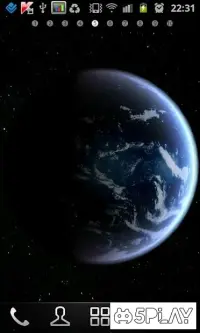
Dive into the cosmos with Earth, an application that presents a stunning collection of animated visuals. This add-on stands out among others due to its meticulous approach to creating visual effects. The app offers a highly detailed 3D background that allows users to explore the planet with precision.
Upon installation, a menu appears, revealing detailed options for customizing the 3D background. At the bottom of the interface, you will find two primary buttons: Install Wallpaper and Settings. If you are using the standard variant, you can skip the second option and immediately apply changes.
For those who appreciate fine details, Earth offers extensive customization options. You can select the optimal texture resolution and other graphic parameters to relieve the processor and GPU of unnecessary load. The settings also include checkboxes to toggle the visibility of stars and the Earth's atmospheric glow.
These features ensure that the visual experience is tailored to your device's capabilities, providing a smooth and immersive view of our planet. The second tab contains sensor settings for rotation, with the gyroscope enabled by default. Here, you can also fix the screen rotation in both vertical and horizontal orientations.
This flexibility allows for a comfortable viewing experience regardless of how you hold your device.
How to install the app
- Check the version, Android compatibility, developer and source in the app details block.
- Open the official app page on Google Play if a link is available.
- Before installing, review app permissions and use only sources you trust.
Frequently asked questions
Can I customize the texture resolution in the Earth app?
Yes, the settings menu allows you to select the optimal texture resolution to balance visual quality and device performance.
Does the app support gyroscope rotation?
The Earth app enables gyroscope rotation by default, allowing you to tilt your device to change the viewing angle of the planet.
Is it possible to control the Moon's phase and distance?
Yes, the final tab in the settings lets you adjust the distance to the Moon and change its visible phase for a realistic experience.
Can I fix the screen orientation in the Earth app?
You can fix the screen rotation in both vertical and horizontal orientations through the sensor settings tab for stable viewing.
Similar apps







No comments yet. Be the first!