
Easy Scanner - PDF Maker
DownloadApp details
- Version
- 2.2.2
- Updated
- 30.09.2026
- Category
- Tools
- Compatibility
- Android 8.0+
- Package name
com.mxxtech.easyscan- Developer
- CALLERSHOW
- Source
- Official Google Play page
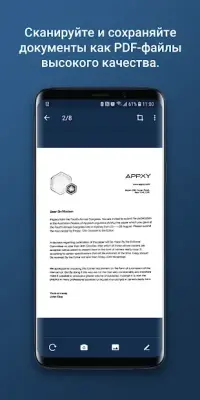
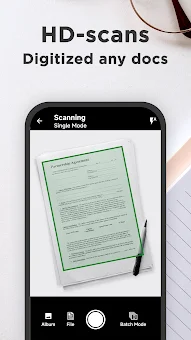
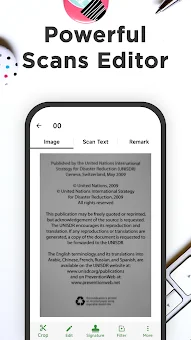
Transform your Android device into a professional-grade document scanner with Easy Scanner - PDF Maker. This powerful application leverages your smartphone camera to quickly digitize paper documents, including notes, receipts, invoices, business cards, and whiteboards. The intelligent clipping feature automatically detects document edges, ensuring precise scans every time.
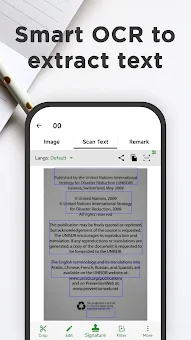
You can capture high-definition images that are ready for immediate use, sharing, or printing, making it an essential tool for students, professionals, and anyone who manages physical paperwork. Enhance your scanned documents with advanced optical character recognition (OCR) technology. Easy Scanner allows you to extract text from images and PDFs, enabling you to search, edit, and share the recognized content with ease.
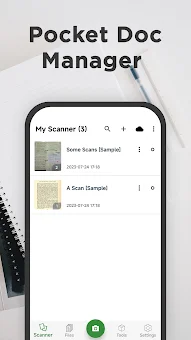
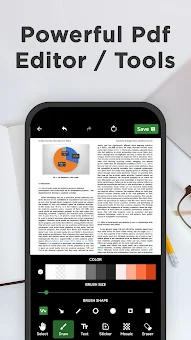
Whether you need to update a receipt or reuse data from a contract, the OCR feature saves time by converting static images into editable text. You can also add watermarks, mosaics, signatures, or freehand drawings to customize your documents before saving them. Manage your digital files efficiently with the built-in portable filing cabinet.
Secure your important documents using application locks and dedicated storage options to keep your data private. The full-text search function lets you locate specific information within PDFs, Word, Excel, and PPT files by keyword.
How to install the app
- Check the version, Android compatibility, developer and source in the app details block.
- Open the Downloads tab and use the official source or an available catalog link.
- Before installing, review app permissions and use only sources you trust.
Frequently asked questions
Does Easy Scanner support OCR for extracting text from images?
Yes, the app includes optical character recognition technology that allows you to extract text from scanned images and PDFs for editing or searching.
Can I secure my scanned documents with a password?
Yes, you can use application locks and dedicated storage features to protect your important files and ensure your data remains private and secure.
What file formats can be searched using the full-text search feature?
The search function supports various formats including PDF, Word, Excel, and PPT, allowing you to find keywords across different document types on your device.
Is it possible to merge multiple scanned documents into one file?
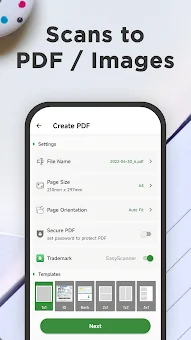
Yes, the app includes a PDF toolbox that allows you to merge multiple scanned documents into a single file for easier sharing and organization.
Similar apps

No comments yet. Be the first!