

Eonfolio: Life Archive
DownloadApp details
- Version
- 1.0
- Updated
- 01.10.2026
- Category
- Tools
- Compatibility
- Android
- Package name
com.tiptinker.eonfolio- Developer
- TipTinker
- Source
- Official Google Play page
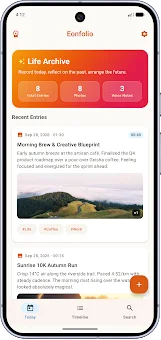
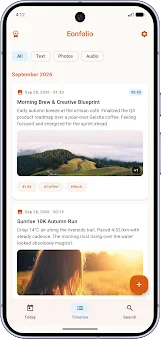
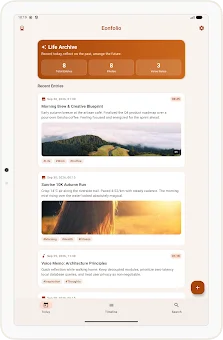
Eonfolio: Life Archive is the ultimate personal diary app designed for users who prioritize privacy and data ownership. Unlike cloud-based solutions, this Android application stores all your precious moments, thoughts, and reflections directly on your device. There is no need to upload data to external servers, ensuring that your personal history remains exclusively in your hands.
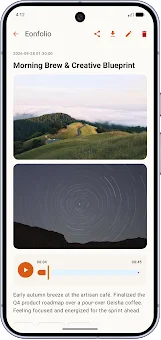
The app supports rich multimedia entries, allowing you to combine high-resolution photos, voice notes, and detailed text descriptions into a single, cohesive record. This multi-tasking capture feature makes it easy to document your day with all the sensory details that matter most to you. Powered by local artificial intelligence, Eonfolio processes your data entirely on-device without requiring an internet connection.
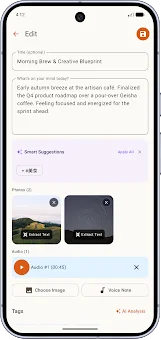
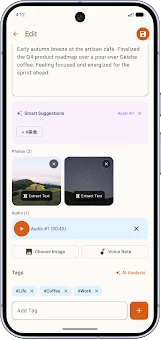
The built-in AI engine performs optical character recognition (OCR) and automatically detects dates, tags, and moods from your content. This intelligent analysis provides smart recommendations that you can apply with a single tap, helping you organize your memories efficiently. Because the processing happens locally, the app offers a fast and responsive experience, even when storing large files or extensive text logs.
Privacy is at the core of the Eonfolio experience. Your data is saved only on your device, eliminating the need for mandatory registration or cloud storage fees.
How to install the app
- Check the version, Android compatibility, developer and source in the app details block.
- Open the Downloads tab and use the official source or an available catalog link.
- Before installing, review app permissions and use only sources you trust.
Frequently asked questions
Does Eonfolio store my data in the cloud?
No, Eonfolio stores all your photos, voice notes, and text directly on your Android device, ensuring complete data privacy without cloud dependency.
How secure is my personal archive in Eonfolio?
You can protect your archive with biometric authentication, a PIN code, or screen capture prevention settings for maximum security on your device.
Can I export my Eonfolio data to another device?
Yes, you can export your data in secure AES-256-GCM archives or standard ZIP files, making it easy to transfer your life archive to a new device.
Does the AI feature require an internet connection?
No, the built-in AI performs OCR and mood detection locally on your device, so you do not need an internet connection for intelligent features.





No comments yet. Be the first!