
File Manager
Open in Google PlaySpaceAPK does not provide APK files. A listed Google Play link is a reference: check the store for availability, version, price and paid features. The catalog version is not offered as a downloadable file.
App details
- Recorded version
- 4.1.618
- Updated
- 22.09.2026
- Category
- Tools
- Compatibility
- Android 8.1+
- Package name
filemanager.files.fileexplorer.android.folder- Source
- Google Play reference
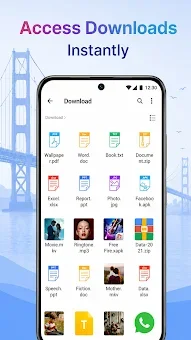
File Manager is an intuitive application designed for effective file management on your Android device. With version 4.1.618, this free tool offers a wide range of functionalities that ensure secure and easy handling of your files. You can effortlessly copy, share, move, rename, scan, and compress files, making it an essential app for anyone looking to optimize their file organization.
One of the standout features is the quick file search option, allowing you to find files by their names instantly. The app also supports SD card management, providing users with the ability to organize and manage files across different storage options. It includes a built-in calculator, duplicate media file filtering, and even the ability to recover deleted data.
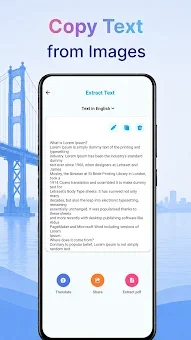
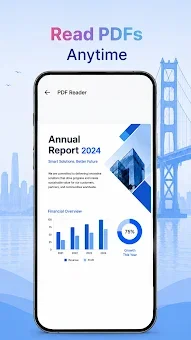
Additionally, users can view PDF documents and convert images into PDF format. This versatility makes File Manager suitable for both casual users and professionals who require efficient file management. For those concerned about aesthetics, the app includes a dark mode for comfortable use in low-light conditions.
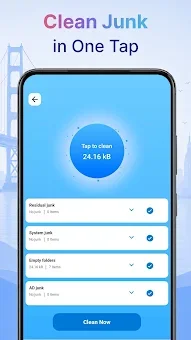
A built-in HD video player enhances your media experience, while features like cache cleaning, browser history management, and cookie support keep your device running smoothly. With support for over 30 languages, File Manager ensures accessibility for a diverse user base. In summary, File Manager is a comprehensive tool for effective file management.
Availability and source
- Check the version, Android compatibility, developer and source in the app details block.
- Open the official app page on Google Play if a link is available.
- Before installing, review app permissions and use only sources you trust.
Frequently asked questions
What features does File Manager offer?
File Manager provides file copying, sharing, and renaming, along with a built-in calculator and PDF viewing.
Is File Manager free to use?
Yes, File Manager is completely free to download and use on your Android device.
Can I recover deleted files with File Manager?
Yes, File Manager includes features to help you recover deleted data easily.
Does File Manager support SD cards?
Absolutely! File Manager can manage files on SD cards along with internal storage.
Similar apps



No comments yet. Be the first!
Leave a comment