
Files To Computer, PC or NAS
DownloadApp details
- Version
- 1.81
- Updated
- 14.10.2026
- Category
- Tools
- Compatibility
- Android 6.0+
- Package name
cz.bukacek.filestocomputer- Source
- Official Google Play page
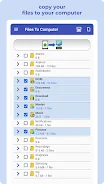
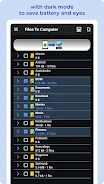
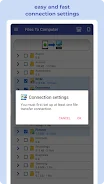
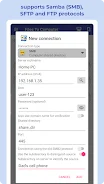
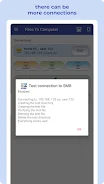
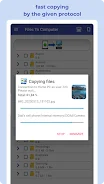
With the Files To Computer app, effortlessly transfer, back up, and manage your files, photos, videos, and music from your mobile device to your computer or NAS server using protocols like Samba (SMB), SFTP, or FTP. This app provides a seamless experience, allowing you to back up your data with just one tap, freeing up valuable space on your device by removing files after a successful backup. It's designed for quick, intuitive, and wireless use, making it ideal for devices running Android Go.
Regularly using Files To Computer enables you to create backups of your device data on your computer or NAS server efficiently. You can manage your media effectively while ensuring that your files are safe and organized. The app intelligently avoids duplicating existing files, guaranteeing that your backups are always updated.
Simply connect to your computer or NAS server, select the files you wish to back up or transfer, and manage them all with ease. This app is particularly useful for devices with limited internal storage or those lacking an SD card slot. Users looking for a convenient way to securely back up files will appreciate its functionality.
Recommended for devices like Samsung Galaxy, Nokia, Motorola, HTC, OPPO, Lenovo, Asus, Sony Xperia, Alcatel, and Vodafone. Ensure the longevity of your files by backing them up on a computer or NAS, protecting your most important content and memories. Experience comprehensive file management with one-click processes for FileBackup, PhotoBackup, VideoBackup, and MusicBackup, all designed for your convenience.
How to install the app
- Check the version, Android compatibility, developer and source in the app details block.
- Open the Downloads tab and use the official source or an available catalog link.
- Before installing, review app permissions and use only sources you trust.
Frequently asked questions
What is Files To Computer?
Files To Computer is an Android app that allows users to transfer and back up files to a computer or NAS server.
Which protocols does the app support?
The app supports Samba (SMB), SFTP, and FTP protocols for file transfer.
Is the app suitable for devices with limited storage?
Yes, it's particularly useful for devices with limited internal storage or without an SD card slot.
Can I manage different types of files?
Yes, you can manage photos, videos, music, and other files efficiently with the app.
Similar apps






No comments yet. Be the first!