
FynGeez
DownloadApp details
- Version
- 2024.9.18
- Updated
- 13.10.2026
- Category
- Tools
- Compatibility
- Android 5.0+
- Package name
com.fynsystems.fyngeez- Source
- Official Google Play page
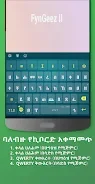
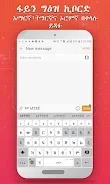
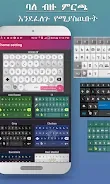
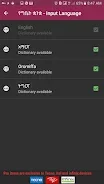
FynGeez is a modern keyboard developed by Fyn Systems, tailored for speakers of Amharic, Tigrinya, and Afaan Oromo languages, whether they are in Ethiopia or abroad. This versatile tool allows users to easily and quickly input text in three languages, along with English. Key features of FynGeez include support for four languages: Amharic, Tigrinya, Afaan Oromo, and English, ensuring comprehensive communication capabilities.
The app also boasts a word prediction feature that enhances typing speed and accuracy, making it a practical choice for daily use. In addition to language support, FynGeez integrates built-in emojis to express emotions and offers voice input functionality for English, simplifying the typing process. Users can also add new words to the dictionary for future suggestions, making it a dynamic tool that adapts to individual needs.
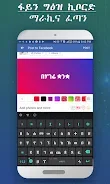
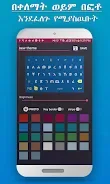
With a wide selection of color themes available for customization, users can personalize their keyboard experience to match their style. The app features four different Ge'ez layouts for Tigrinya and Amharic keyboards, allowing users to choose the most comfortable setup. Font modifications and keyboard height adjustments further enhance usability, ensuring that FynGeez can be tailored to fit various preferences.
FynGeez is perfect for students, professionals, and anyone wishing to maintain connections with family and friends through modern technology. Ultimately, FynGeez is a powerful and user-friendly keyboard that provides users with numerous options for customization and improved text input experiences. It not only supports multiple languages but also offers innovative features that make communication easier and more enjoyable.
Whether you are typing in Amharic, Tigrinya, Afaan Oromo, or English, FynGeez is designed to meet your needs with efficiency and style.
How to install the app
- Check the version, Android compatibility, developer and source in the app details block.
- Open the Downloads tab and use the official source or an available catalog link.
- Before installing, review app permissions and use only sources you trust.
Frequently asked questions
What languages does FynGeez support?
FynGeez supports Amharic, Tigrinya, Afaan Oromo, and English.
Can I customize the keyboard themes?
Yes, FynGeez offers a variety of color themes and the option to create custom themes.
Does FynGeez have a voice input feature?
Yes, FynGeez includes a voice input feature for English.
Is there a word prediction feature?
Yes, FynGeez has a word prediction feature to enhance typing speed.
Similar apps








No comments yet. Be the first!