
SpaceAPK does not provide APK files. A listed Google Play link is a reference: check the store for availability, version, price and paid features. The catalog version is not offered as a downloadable file.
App details
- Recorded version
- 17.38.11.
- Updated
- 13.07.2026
- Category
- Tools
- Compatibility
- Android 11+
- Package name
com.google.android.googlequicksearchbox- Source
- Google Play reference
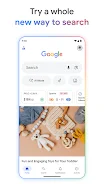
The Google app brings a smarter, more intuitive way to search for information that matters to you. With the new AI-powered features, you can get instant answers to complex questions directly on your Android device. Whether you are a student, a professional, or just curious, this app helps you explore new topics, stay updated with the latest news, and find answers quickly without leaving your current context.
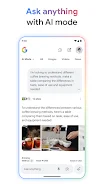
Experience the power of AI Search, which provides detailed answers with links to relevant web sources. You can interact through text, voice, or by taking a photo, allowing for a more natural and conversational search experience. Ask follow-up questions to dive deeper into any topic, making it easier to understand complex subjects without endless scrolling through search results.
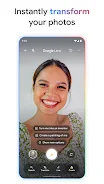
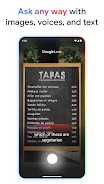
Use Google Lens to search for what you see. Simply point your camera at an object, text, or image to identify plants, animals, find similar products, or translate text instantly. This feature is perfect for everyday tasks, from solving homework problems to finding the best deals on products you see in stores, all within the Google app interface.
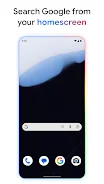
The app also includes a customizable Google Search widget for your home screen. Quickly access shortcuts for translating text, searching for songs, checking the weather, and more.
Availability and source
- Check the version, Android compatibility, developer and source in the app details block.
- Open the official app page on Google Play if a link is available.
- Before installing, review app permissions and use only sources you trust.
Frequently asked questions
How does AI Search work in the Google app?
AI Search provides detailed answers with web links. You can interact via text, voice, or camera and ask follow-up questions for deeper understanding.
What is Google Lens and how is it used?
Google Lens allows you to search by pointing your camera at objects, text, or images to identify items, translate text, or find similar products.
Can I use the Google app to find music by humming?
Yes, the Hum to Search feature lets you find songs by humming a melody, even without knowing the title or artist name.
Is the Google app free to download on Android?
Yes, the Google app is free to download and use on Android devices, offering features like AI search, Lens, and Discover at no cost.




No comments yet. Be the first!
Leave a comment