
Google Lens
Open in Google PlaySpaceAPK does not provide APK files. A listed Google Play link is a reference: check the store for availability, version, price and paid features. The catalog version is not offered as a downloadable file.
App details
- Updated
- 05.08.2025
- Category
- Tools
- Compatibility
- Android 6.0+
- Package name
com.google.ar.lens- Developer
- Google LLC
- Source
- Google Play reference
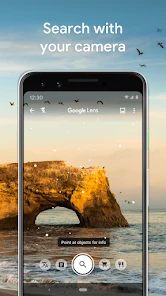
Google Lens transforms your smartphone camera into a powerful information tool that helps you understand the world around you. By simply pointing your camera at an object, text, or place, you can instantly gather relevant details, perform tasks, and gain knowledge without typing a single word. This app turns ordinary visual experiences into interactive discoveries, making it easier to navigate daily life, travel, and work with just a glance.
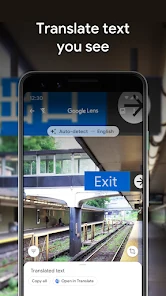
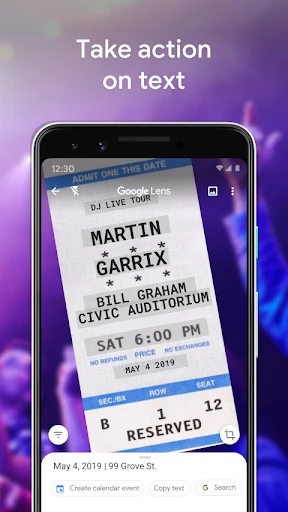
One of the most useful features is real-time text translation. Point your camera at foreign signs, menus, or documents, and Lens will translate the text on your screen instantly. You can also extract text from images, copy long paragraphs, or save business cards directly to your contacts.
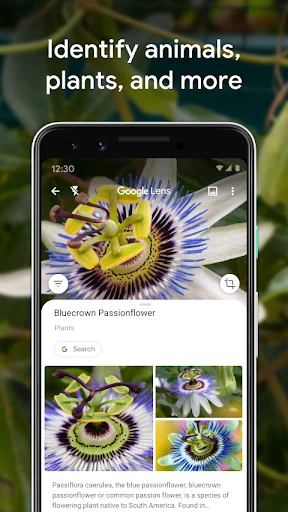
This functionality saves time for students, professionals, and travelers who frequently interact with different languages and documents. For nature lovers and curious minds, Google Lens identifies plants, animals, and landmarks. Just point your camera at a flower, a pet, or a monument to learn its name, history, or care instructions.
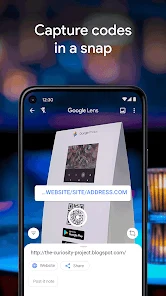
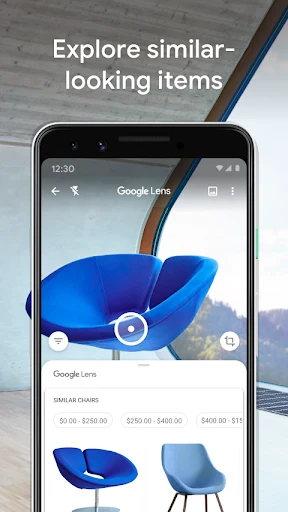
It also helps you discover nearby places, showing ratings, opening hours, and reviews for restaurants, shops, and attractions. You can even find similar products or furniture by taking a photo of items you like in stores or homes. The app also simplifies everyday tasks with quick QR code scanning and barcode reading.
Scan codes to open links, verify products, or access digital tickets instantly.
Availability and source
- Check the version, Android compatibility, developer and source in the app details block.
- Open the official app page on Google Play if a link is available.
- Before installing, review app permissions and use only sources you trust.
Frequently asked questions
How does Google Lens work on Android?
Google Lens uses your device camera to analyze visual data. It identifies objects, reads text, and provides instant information or actions based on what you point the camera at.
Can I translate foreign text with Google Lens?
Yes, you can translate text in real-time by pointing your camera at signs, menus, or documents. The app overlays the translated text directly on your screen for easy reading.
Does Google Lens identify plants and animals?
Absolutely. Point your camera at a plant or animal to get its name, care tips, or related information. It is a great tool for nature enthusiasts and students.
What are the main features of Google Lens?
Key features include real-time translation, text extraction, product search, landmark identification, QR code scanning, and finding similar items in stores or online.




No comments yet. Be the first!
Leave a comment