
Google Play Market
DownloadApp details
- Updated
- 21.02.2020
- Category
- Android applications
- Package name
com.android.vending
Google Play Market serves as the official and most comprehensive digital distribution platform tailored specifically for the Android operating system. As the primary app store recognized by Google, it provides users with instant access to millions of applications, games, movies, books, and music tracks. This centralized hub ensures that Android device owners have a seamless and secure environment to discover, download, and manage their favorite digital content without unnecessary complications.
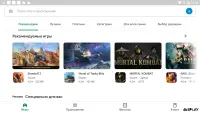
The platform has evolved significantly over time, integrating a wide array of services into a single, cohesive interface. Users can now enjoy enhanced features such as personalized recommendations, streamlined navigation, and a modernized design that makes browsing intuitive. Whether you are looking for productivity tools, entertaining games, or educational resources, the market offers a diverse catalog that caters to every interest and need, all within a user-friendly framework.
Downloading and installing apps has never been easier. With just a few taps, you can acquire software, make purchases, and save your content directly to your device. The system supports various content types, from small utility apps to large-scale games with high-definition graphics.
How to install the app
- Check the version, Android compatibility, developer and source in the app details block.
- Open the Downloads tab and use the official source or an available catalog link.
- Before installing, review app permissions and use only sources you trust.
Frequently asked questions
Is Google Play Market free to download?
Yes, the Google Play Market app is completely free to download and install on any Android device. There are no upfront costs to access the store, although individual apps or content may have their own prices.
How do I install apps from Google Play Market?
To install an app, simply search for it in the search bar, tap the Install button, and wait for the download to complete. You may need to accept permissions requested by the app before it can be used.
Can I use Google Play Market on devices without Google services?
While the official Google Play Market is designed for devices with Google Mobile Services, there are third-party versions available for devices that lack native Google integration, though functionality may vary.
Is it safe to download apps from Google Play Market?
Generally, yes. Google Play Market employs security measures like Play Protect to scan apps for malware. However, it is always good practice to read reviews and check permissions before installing any new application.
Similar apps





No comments yet. Be the first!