

Handy Photo
Open in Google PlaySpaceAPK does not provide APK files. A listed Google Play link is a reference: check the store for availability, version, price and paid features. The catalog version is not offered as a downloadable file.
App details
- Recorded version
- 2.3.22
- Updated
- 15.11.2021
- Category
- Arcade
- Compatibility
- Android 4.0
- Package name
com.advasoft.handyphoto- Source
- Google Play reference
Handy Photo is a versatile and user-friendly application designed to enhance your mobile photography experience directly on your Android device. This APK brings professional-grade editing tools to your fingertips, allowing you to transform ordinary snapshots into stunning visual stories. Whether you are a casual user looking to brighten up a vacation photo or a hobbyist wanting to apply artistic effects, this app provides a comprehensive suite of features to meet your creative needs.
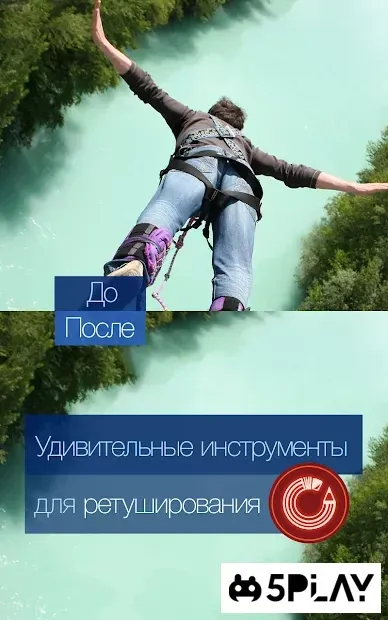
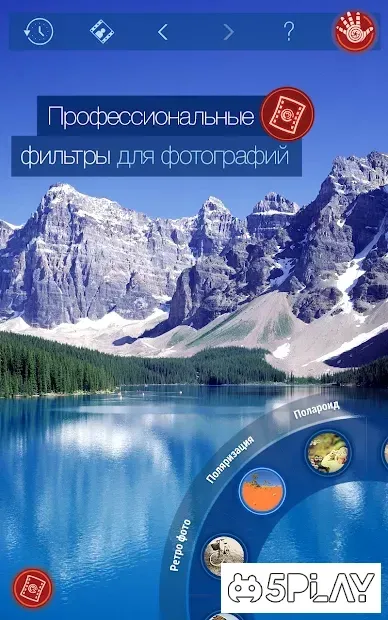
One of the standout capabilities of Handy Photo is its robust set of editing instruments. You can easily adjust the color palette of your images, ensuring that every hue pops with vibrancy and clarity. The app includes a variety of filters and retouching options that help you perfect skin tones, correct lighting issues, and add a polished finish to your pictures.
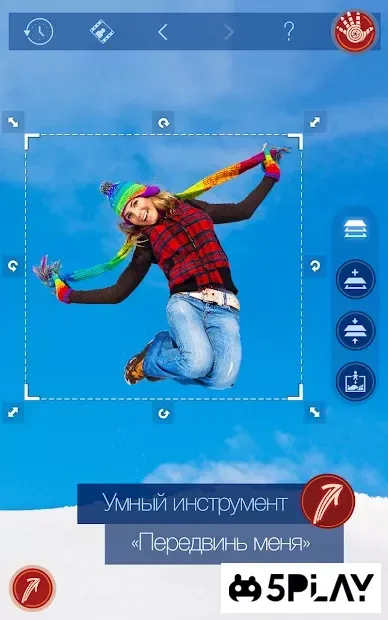
These tools are intuitive, making it simple to achieve professional-looking results without a steep learning curve. The application also excels in creative manipulation. You can seamlessly transfer objects from one photo to another, creating unique collages or composite images with ease.
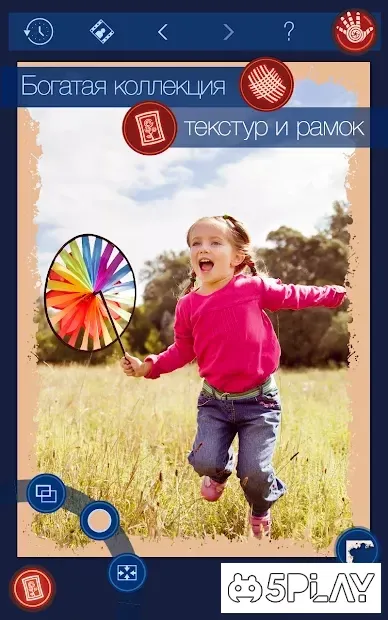
Additionally, Handy Photo allows you to add textures and decorative frames to your pictures, giving them a distinct style.
Availability and source
- Check the version, Android compatibility, developer and source in the app details block.
- Open the official app page on Google Play if a link is available.
- Before installing, review app permissions and use only sources you trust.
Frequently asked questions
What is Handy Photo used for?
Handy Photo is a mobile application used for editing photos on Android devices. It offers tools for color correction, applying filters, retouching, and adding decorative elements to images.
Can I transfer objects between photos in Handy Photo?
Yes, Handy Photo allows you to move objects from one photo to another. This feature enables you to create composite images or remove unwanted backgrounds with precision.
Does Handy Photo support adding frames and textures?
Absolutely. The app includes a variety of frames and textures that you can apply to your photos. This helps in customizing the look and feel of your images for social media sharing.
Is Handy Photo suitable for beginners?
Yes, Handy Photo is designed to be user-friendly. Its intuitive interface allows beginners to achieve professional-looking results quickly without needing extensive editing knowledge.
Similar apps







No comments yet. Be the first!