
HD Vidzeti
Open in Google PlaySpaceAPK does not provide APK files. A listed Google Play link is a reference: check the store for availability, version, price and paid features. The catalog version is not offered as a downloadable file.
App details
- Recorded version
- 4.4.1
- Updated
- 09.12.2021
- Category
- Arcade
- Compatibility
- Android 4.0.3
- Package name
cloudtv.hdwidgets- Source
- Google Play reference
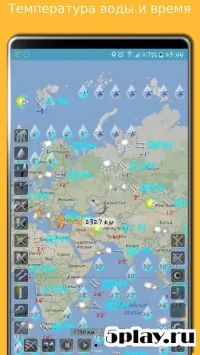
HD Vidzeti stands out as the most popular collection of widgets available for the Android platform, offering a comprehensive suite of tools designed to enhance your mobile experience. This application is part of a complete set of information widgets that allow you to successfully utilize them on both smartphones and tablets, ensuring a consistent and optimized interface across all your devices. Unlike many competitors, such as Beautiful Widgets, HD Vidzeti provides extensive customization options, allowing users to not only change the size of widgets but also fully customize their appearance using a special editor.
The menu initially includes a short instruction for beginners, and after adding the first widget to the home screen, the Active Widgets settings open, revealing the editor where you can adjust the external look of your elements. The interface is designed for ease of use, with element names and sizes displayed at the top, while options for framing, icons, and fonts (color, transparency, and size) are located at the bottom. The central part of the screen is dedicated to placement options, giving you precise control over where your widgets appear.
HD Vidzeti also includes advanced options accessible by swiping left and selecting the Settings point.
Availability and source
- Check the version, Android compatibility, developer and source in the app details block.
- Open the official app page on Google Play if a link is available.
- Before installing, review app permissions and use only sources you trust.
Frequently asked questions
What is HD Vidzeti used for on Android?
HD Vidzeti is an Android application that provides a wide variety of customizable widgets for your home screen, including weather, clock, and system status tools.
Can I customize the appearance of widgets in HD Vidzeti?
Yes, HD Vidzeti allows you to change widget sizes, colors, transparency, icons, and fonts using its built-in special editor for full personalization.
How do I add a widget to my Android home screen?
To add a widget, long press on your home screen to open the settings menu, select the widget option, and then place it on your desired location.
Does HD Vidzeti support tablet devices?
Yes, the widget set is fully compatible with both smartphones and tablets, ensuring a consistent and optimized experience across all Android devices.
Similar apps



No comments yet. Be the first!