
IPTV Player: All Channel Live
Open in Google PlaySpaceAPK does not provide APK files. A listed Google Play link is a reference: check the store for availability, version, price and paid features. The catalog version is not offered as a downloadable file.
App details
- Recorded version
- 1.1
- Updated
- 07.10.2026
- Category
- AI
- Compatibility
- Android 12+
- Package name
com.iptv.player.channel.app- Developer
- Silveroot Softwares
- Source
- Google Play reference
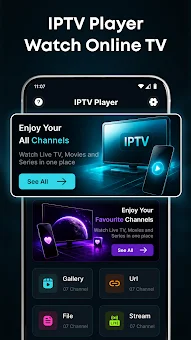
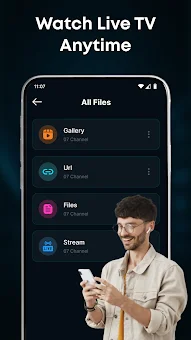
Transform your Android smartphone into a powerful media center with IPTV Player: All Channel Live. This application turns your device into a robust player for streaming live IPTV channels. Thanks to its simple and intuitive interface, you can easily load your own content and enjoy your favorite channels without hassle.
The app supports connecting devices through compatible casting methods, allowing you to transfer viewing to a larger TV screen for a more immersive experience. Take full control over playback with features that let you pause, resume, seek through video, adjust volume, and switch to full-screen mode for maximum comfort. One of the main advantages of this software is its effective channel navigation.
A large list of channels becomes user-friendly when access is organized correctly. You can search for a specific channel by name, switch between them using simple control elements, and save favorite broadcasts for quick access. The application remembers recently watched programs, allowing you to easily return to them.
Category-based channel organization significantly speeds up the search for needed content. You can save favorite channels, organize playlists, and manage volume directly from the player interface.
Availability and source
- Check the version, Android compatibility, developer and source in the app details block.
- Open the official app page on Google Play if a link is available.
- Before installing, review app permissions and use only sources you trust.
Frequently asked questions
Does IPTV Player: All Channel Live include its own channels?
No, this application is a pure media player that does not contain its own media content or pre-installed playlists. It plays materials provided by the user.
How can I add channels to the player?
You can add content by entering direct stream links, importing playlist URLs, or downloading M3U format files from your phone memory or device storage.
Can I cast the video to a TV screen?
Yes, the application supports connecting devices through compatible casting methods, allowing you to transfer viewing from your smartphone to a larger TV screen.
What playback controls are available?
Users can pause, resume, seek through video, adjust volume, and switch to full-screen mode for maximum comfort and a better viewing experience.
Similar apps



No comments yet. Be the first!
Leave a comment