
IPTV Player: M3U & M3U8
DownloadApp details
- Version
- 4.2
- Updated
- 08.10.2026
- Category
- AI
- Compatibility
- Android 12+
- Package name
com.smart.tvplayer.iptvsmarters- Developer
- IPTV Online Player: Online TV
- Source
- Official Google Play page
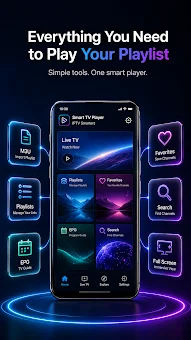
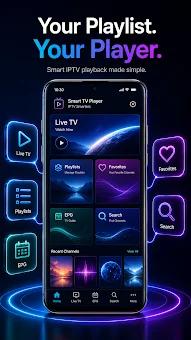
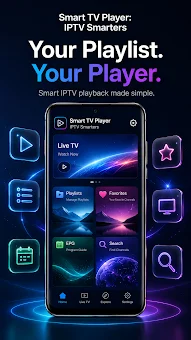
IPTV Player: M3U & M3U8 is a modern and efficient media player designed for creating and organizing your own custom playlists. This Android application offers a clean interface and a simplified user experience, allowing you to easily manage media lists, search for channels, save favorites, and control the playback process with precision. It is an ideal tool for users who want to consolidate their media sources into one convenient location without unnecessary clutter.
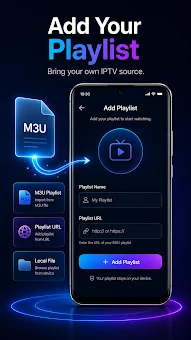
The application supports M3U and M3U8 formats, enabling you to import custom playlists from your own sources and manage them directly within the app. You can import your personal M3U or M3U8 sources and enjoy viewing without extra complexity. The program allows you to bring your own custom playlists and store all media in one convenient place, making it perfect for those who value simplicity, speed, and a minimalist design without superfluous elements.
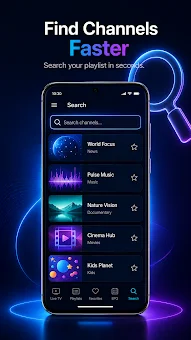
Key features include tools for managing multiple IPTV playlists, designed for quick access to your content. A handy smart search function allows you to quickly find the desired stream across all imported playlists. You can save frequently used channels in the Favorites section for easier access in the future.
How to install the app
- Check the version, Android compatibility, developer and source in the app details block.
- Open the Downloads tab and use the official source or an available catalog link.
- Before installing, review app permissions and use only sources you trust.
Frequently asked questions
Does IPTV Player: M3U & M3U8 contain its own TV channels?
No, IPTV Player is strictly a media player application. It does not provide or contain any television channels, movies, video content, subtitles, or pre-made playlists. It is designed solely for playing your own custom media sources that you import yourself.
What playlist formats are supported by this app?
The application supports the M3U and M3U8 formats. This allows you to import custom playlists from your own sources and manage them directly within the app without needing extra conversion or complex setup processes.
Can I save my favorite channels for quick access?
Yes, you can save frequently used channels in the Favorites section. This feature allows for easier access to your preferred content in the future, making it convenient to launch your favorite streams with just a tap.
Is the interface of the app complex to use?
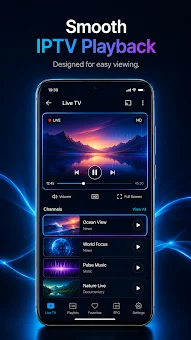
The app features a clean and modern interface designed for comfort and ease of use. It includes a handy smart search function and simple playback controls, making it easy to navigate through playlists and find the desired stream quickly.
Similar apps


No comments yet. Be the first!