
Iriun Webcam
DownloadApp details
- Version
- 2.9.2
- Updated
- 12.10.2026
- Category
- Tools
- Compatibility
- Android 12+
- Package name
com.jacksoftw.webcam- Source
- Official Google Play page
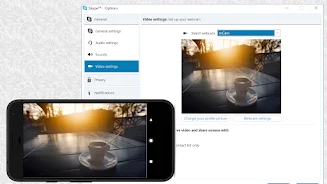
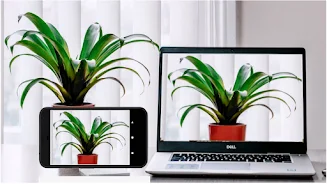
Iriun Webcam is a convenient application that allows you to use your Android phone's camera as a wireless webcam for your PC or Mac. This innovative app makes it easy to connect your smartphone to your computer and utilize it in popular video applications like Teams, Zoom, OBS, and more. With Iriun Webcam, you can enjoy features that enhance your video quality and user experience.
The app operates even when your phone's screen is turned off, allowing for extended usage without battery drain. You can connect via WiFi or USB, ensuring flexibility in how you set up your webcam. The app supports resolutions up to 4K, depending on your phone model, making it an excellent choice for high-definition streaming.
Additionally, Iriun Webcam allows for zooming using gestures, which adds a layer of functionality for users who need to adjust their framing during calls or streams. The mirror mode feature is perfect for those who want to present themselves more naturally during video calls. This application is beneficial for a wide range of users, from students attending online classes to professionals conducting business meetings, and even streamers looking to enhance the quality of their broadcasts.
Iriun Webcam harnesses the power of your phone's camera, making your video calls and streams more professional and engaging. In summary, Iriun Webcam is an easy and effective way to transform your phone into a high-quality webcam for your computer. By downloading the necessary drivers, you can enjoy a wireless connection and high image quality, making this app an excellent choice for anyone looking to improve their video communications.
How to install the app
- Check the version, Android compatibility, developer and source in the app details block.
- Open the Downloads tab and use the official source or an available catalog link.
- Before installing, review app permissions and use only sources you trust.
Frequently asked questions
How do I connect my phone to my computer?
You can connect via WiFi or USB, depending on your preference.
What resolution does Iriun Webcam support?
It supports resolutions up to 4K, depending on your phone model.
Can I use Iriun Webcam with video conferencing apps?
Yes, it works with Teams, Zoom, OBS, and other video applications.
Does it work with the phone screen off?
Yes, Iriun Webcam operates even when your phone's screen is turned off.
Similar apps








No comments yet. Be the first!