
ArtFlow: Paint Draw Sketchbook 2.8.105
App details
- Updated
- 27.07.2025
- Category
- Miscellaneous
- Package name
com.bytestorm.artflow
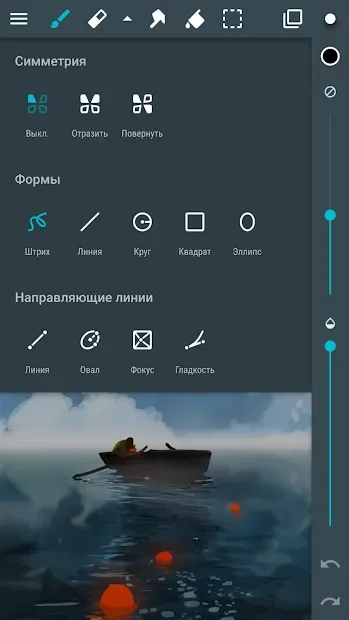
ArtFlow: Paint Draw Sketchbook transforms your mobile device into a powerful digital sketchbook, offering a seamless canvas for creative expression. This application is designed for artists of all skill levels, providing a rich suite of tools to bring your imagination to life. Whether you are sketching quick ideas or working on detailed illustrations, the interface adapts to your workflow, ensuring that every stroke feels natural and responsive.
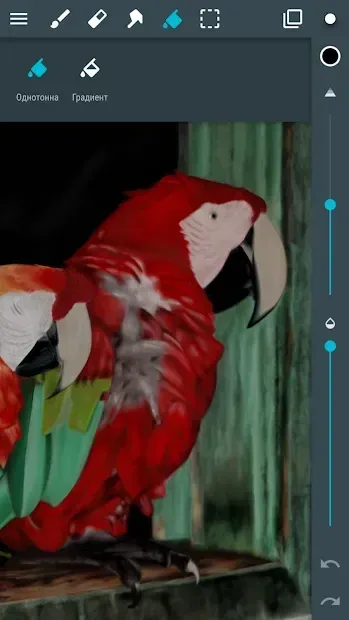
The app supports a wide variety of brushes and pens, allowing you to experiment with different textures and line weights to achieve the perfect look for your artwork. One of the standout features of this Android app is its comprehensive set of drawing instruments. Users can access layers, masks, and blending modes to create complex compositions with ease.
The color palette is extensive, featuring a color wheel and gradient tools that help you find the exact shade you need. You can also adjust opacity and flow settings to control the intensity of your strokes. This level of control makes ArtFlow suitable for both casual doodling and professional-grade digital art creation on a tablet or smartphone.
The application is optimized for touch input, providing a responsive drawing experience that mimics the feel of traditional media. Pressure sensitivity is supported on compatible devices, allowing for dynamic line variation that adds depth and realism to your sketches.
How to install the app
- Check the version, Android compatibility, developer and source in the app details block.
- Open the official app page on Google Play if a link is available.
- Before installing, review app permissions and use only sources you trust.
Frequently asked questions
What is ArtFlow: Paint Draw Sketchbook?
It is a digital art application for Android that turns your device into a sketchbook with various drawing tools and brushes.
Does the app support pressure sensitivity?
Yes, on compatible devices, the app supports pressure sensitivity for dynamic line variation.
Can I import images into ArtFlow?
Yes, you can import images to use as references or blend them into your drawings.
Similar apps








No comments yet. Be the first!