

AutoGuard Dash Cam - Blackbox
DownloadApp details
- Version
- 6.0.4009
- Updated
- 16.10.2026
- Category
- Arcade
- Compatibility
- Android 4.1
- Package name
com.hovans.autoguard- Source
- Official Google Play page
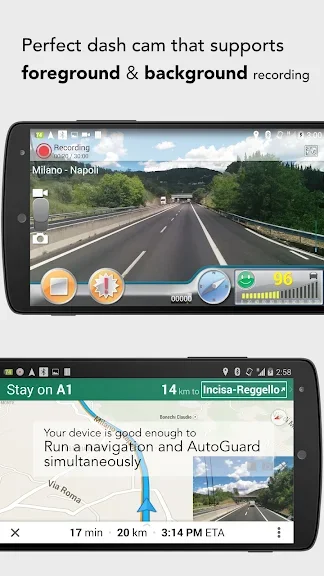
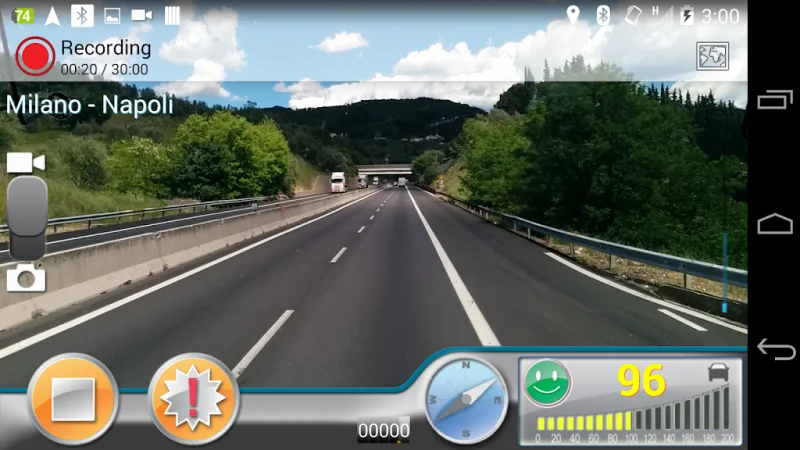
AutoGuard Dash Cam - Blackbox is a highly functional dash recorder designed specifically for Android devices, offering a comprehensive solution for vehicle monitoring and evidence collection. This application transforms your smartphone into a powerful blackbox system, capable of recording video in high resolution to ensure clear and detailed footage of every journey. It captures essential driving parameters such as speed, acceleration, and other critical metrics, providing a complete picture of your driving behavior and road conditions.
The app allows users to customize various settings to suit their specific needs. You can independently select the video and audio formats, adjust the quality settings, and configure the sensitivity of the accelerometer sensor. These customizable options ensure that the recording quality matches your preferences and storage capabilities.
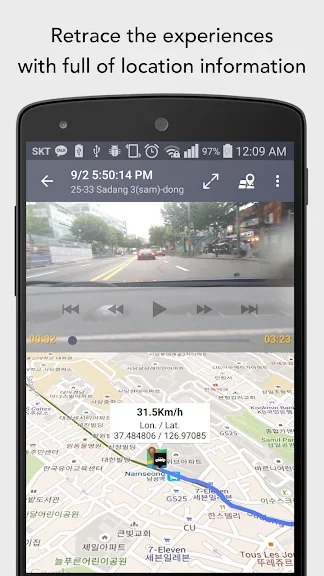
The system automatically archives video clips based on predefined intervals, ensuring that your footage is organized and preserved efficiently without manual intervention. One of the key features of AutoGuard Dash Cam is its ability to accurately display the location of the recording and provide detailed information about the vehicle. This geolocation data is crucial for verifying the context of an incident or trip.
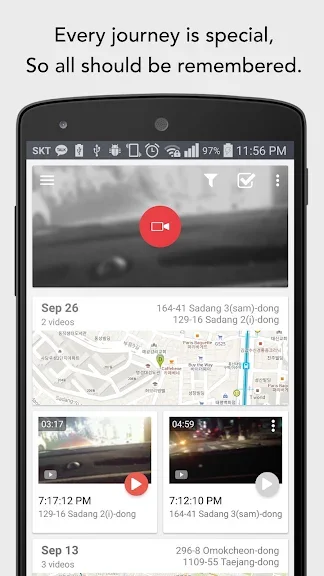
The application stores all video recordings securely, making them easily accessible for review.
How to install the app
- Check the version, Android compatibility, developer and source in the app details block.
- Open the Downloads tab and use the official source or an available catalog link.
- Before installing, review app permissions and use only sources you trust.
Frequently asked questions
What video quality does AutoGuard Dash Cam support?
The app supports recording video in high resolution, ensuring clear and detailed footage of your driving environment and road conditions.
Does the app record location data?
Yes, the application can accurately display the location of the recording and provides detailed information about the vehicle's position during the drive.
Can I customize the recording settings?
Users can independently select the video and audio formats, adjust the quality settings, and configure the sensitivity of the accelerometer sensor for optimal performance.
How is video footage stored and managed?
All video clips are stored based on predefined intervals and are automatically archived by the system to manage storage space effectively while preserving important records.
Similar apps









No comments yet. Be the first!