
Camera FV-5
DownloadApp details
- Version
- 5.1.9
- Updated
- 16.10.2026
- Category
- Arcade
- Compatibility
- Android 2.2
- Package name
com.flavionet.android.camera.pro- Source
- Official Google Play page
Do you believe that mobile phones cannot produce high-quality photos? With Camera FV-5, you can capture stunning images right from your smartphone. This powerful app brings professional-grade photography features to your device, allowing you to take full control of your shots.
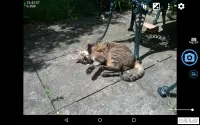
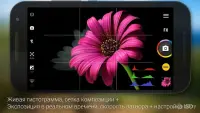
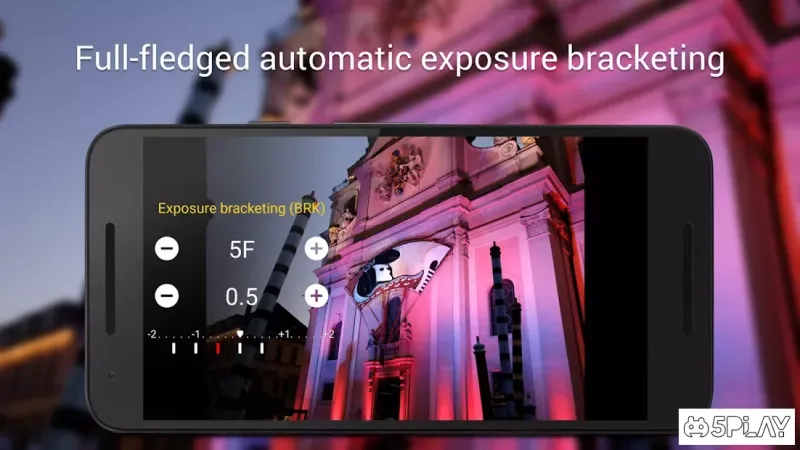
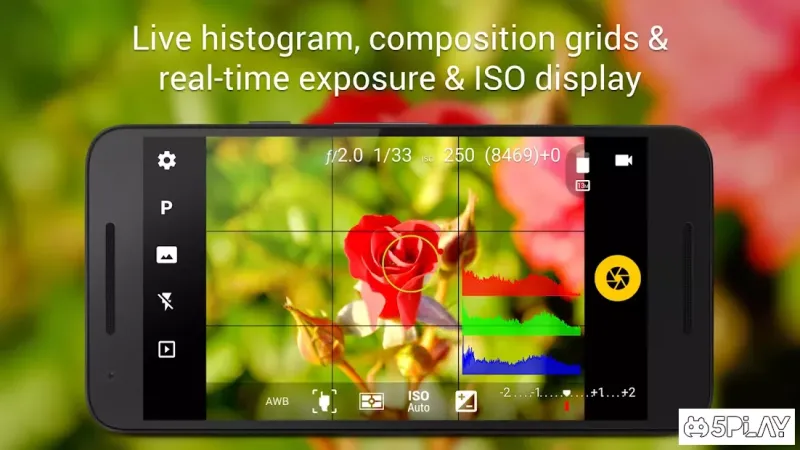
Whether you are a casual user or a photography enthusiast, Camera FV-5 offers the tools you need to elevate your mobile photography experience significantly. The application provides an extensive set of customizable functions and settings. You can adjust the image resolution, focus modes, shutter sounds, ISO sensitivity, and white balance.
Additionally, Camera FV-5 allows you to fine-tune parameters such as sharpness, color, contrast, and compression. You can also choose the storage location for your images, ensuring that your gallery remains organized and accessible for future editing or sharing. Initially, the main interface may seem complex and overwhelming for new users.
However, as you explore the various options, the app becomes intuitive and familiar. Over time, you will learn to utilize its full potential, mastering the manual controls to achieve the perfect shot. The learning curve is manageable, and the results are well worth the effort invested in understanding the settings.
Camera FV-5 is the ideal solution for those who believe that a dedicated camera is necessary for taking great pictures.
How to install the app
- Check the version, Android compatibility, developer and source in the app details block.
- Open the Downloads tab and use the official source or an available catalog link.
- Before installing, review app permissions and use only sources you trust.
Frequently asked questions
What manual controls does Camera FV-5 offer?
Camera FV-5 allows users to manually adjust ISO, focus modes, white balance, resolution, sharpness, color, contrast, and compression settings for precise control.
Is Camera FV-5 suitable for beginners?
Yes, although the interface is feature-rich, it becomes intuitive with use. Beginners can start with basic settings and gradually explore advanced manual controls for better results.
Can I customize the storage location for photos?
Yes, Camera FV-5 lets you choose where to save your images, helping you keep your gallery organized and ensuring easy access to your captured photos later.
Does Camera FV-5 work on all Android devices?
Camera FV-5 is designed to work on a wide range of Android devices, providing a consistent and high-quality photography experience across various smartphone models.
Similar apps



No comments yet. Be the first!