

Device Info HW
Open in Google PlayApp details
- Version
- 5.27.1
- Updated
- 07.09.2026
- Category
- Tools
- Compatibility
- Android 4.1+
- Package name
ru.andr7e.deviceinfohw- Source
- Official Google Play page
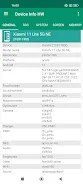
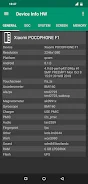
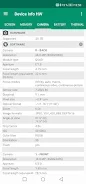
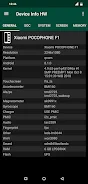
Device Info HW is a powerful and comprehensive tool designed to extract detailed information about the hardware and software components of your Android devices. This application is specifically engineered to identify smartphone components and provide exhaustive data regarding their configuration. It currently supports the detection of LCD screens, touch panels, cameras, sensors, memory, storage, audio subsystems, NFC, charging devices, Wi-Fi, and battery status, depending on the specific capabilities of your device model.
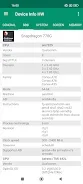
The app offers a robust solution for users who need to understand the internal architecture of their phones with precision and clarity. The software provides in-depth details about the System on Chip (SoC), including the model, cores, clusters, frequency, and CPU and GPU architecture. Users can view data on memory types, such as LPDDR, and storage types like eMMC or UFS.
It also displays battery status with calculated charge and discharge rates, along with sensor temperatures. The application delivers complete information about the firmware, supported codecs, drivers, memory partitions, and PMIC voltage regulators, making it an essential utility for technical analysis. Navigating the app is intuitive with a quick interface that allows switching between tabs and accessing other menus easily.
Many interface elements are interactive; for instance, tapping on the processor frequency opens the CPU monitor.
How to install the app
- Check the version, Android compatibility, developer and source in the app details block.
- Open the official app page on Google Play if a link is available.
- Before installing, review app permissions and use only sources you trust.
Frequently asked questions
What information does Device Info HW provide?
It provides detailed data on SoC, CPU, GPU, memory type, storage type, battery status, sensor temperatures, firmware, and supported codecs.
Does the app require root access?
Root access is not mandatory but is recommended to read more data, such as LCD models and specific drivers on modern devices.
What features are available in the PRO version?
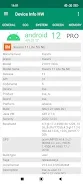
The PRO version includes dark themes, HTML/PDF report creation, text copying, and charging graphics.



No comments yet. Be the first!