
Draw In
Open in Google PlaySpaceAPK does not provide APK files. A listed Google Play link is a reference: check the store for availability, version, price and paid features. The catalog version is not offered as a downloadable file.
App details
- Recorded version
- 1.2.1
- Updated
- 19.11.2021
- Category
- Arcade
- Compatibility
- Android 4.1
- Package name
com.supertapx.drawin- Source
- Google Play reference
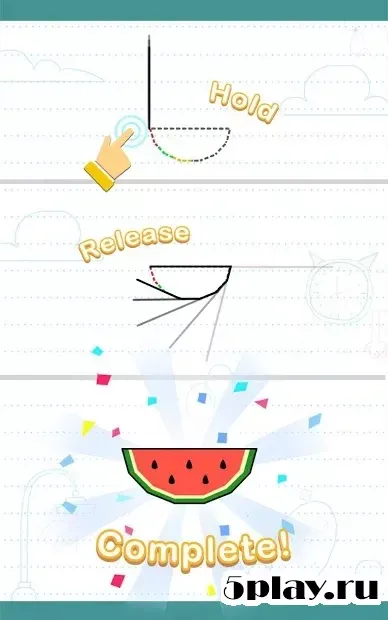
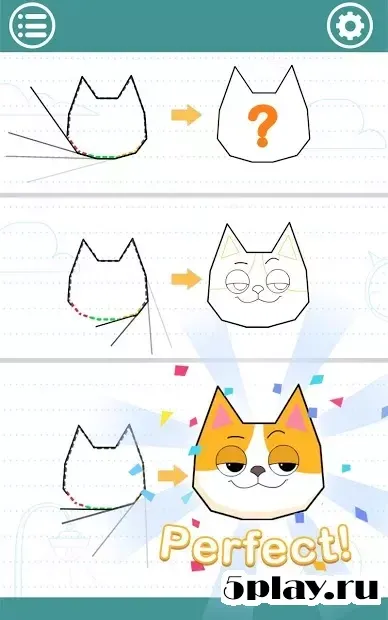
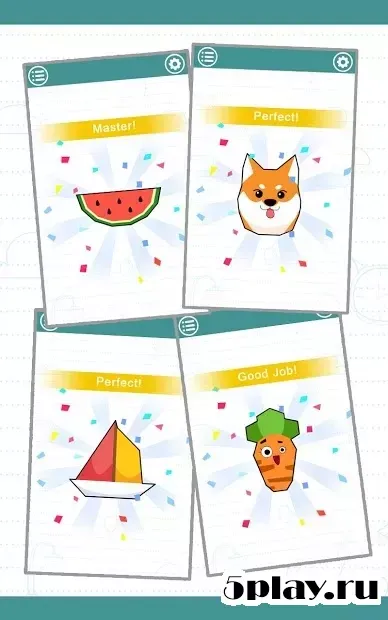
Draw In is an engaging arcade-style drawing game designed for Android devices that offers a simple yet captivating gameplay experience. This APK title challenges players to develop their eye-hand coordination and spatial awareness through a series of creative drawing tasks. The core mechanic is straightforward: you must trace the contours of various small objects displayed on the screen.
These objects range from cute animals and fresh fruits to everyday items, providing a diverse and visually appealing set of challenges for users of all ages. The gameplay revolves around precision and control. To complete each level, you need to determine the correct length of the line you are drawing.
It is not enough to simply trace the shape; the length of your line must be sufficient to fully enclose the object. However, if your line is too long, the level will not be considered complete, and you will need to restart the task. This adds a layer of strategic thinking to the drawing process, requiring careful measurement and execution.
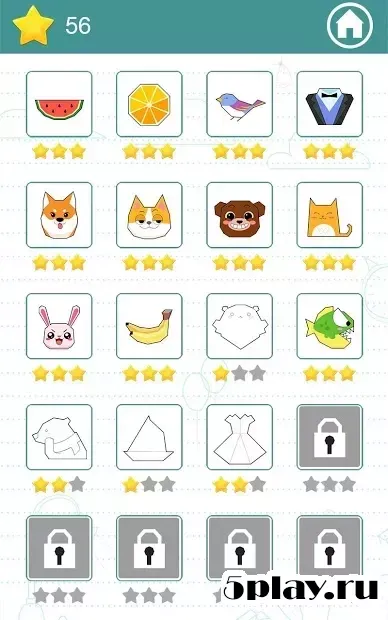
Mastering the balance between line length and enclosure is key to success in Draw In. The game rewards precision, allowing players who get the line length just right to earn the highest rating of three stars. Achieving this perfect score not only boosts your confidence but also allows you to progress further into the game.
Availability and source
- Check the version, Android compatibility, developer and source in the app details block.
- Open the official app page on Google Play if a link is available.
- Before installing, review app permissions and use only sources you trust.
Frequently asked questions
What is the main objective in the Draw In game?
The main objective is to trace the contours of various objects like animals and fruits by drawing a line of the correct length to fully enclose them without being too long.
How do I achieve the highest score in Draw In?
You achieve the highest score of three stars by accurately determining the required line length to enclose the object perfectly, avoiding lines that are either too short or too long.
Is Draw In suitable for casual players on Android?
Yes, Draw In is designed for casual players with simple controls and engaging tasks that help develop eye-hand coordination and spatial awareness on any Android device.
What happens if my line is too long in Draw In?
If your line is too long, the level will not be completed successfully, and you will need to restart the task to try again with a more precise line length.
Similar apps




No comments yet. Be the first!