
DS Emulator
DownloadApp details
- Version
- 1.0.3
- Updated
- 13.10.2026
- Category
- Arcade
- Compatibility
- Android 4.2+
- Package name
com.cpu.free.dsemulatorv6- Source
- Official Google Play page
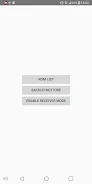
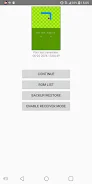
DS Emulator is your gateway to reliving classic dual-screen games on Android devices. With version 1.0.3, you can enjoy smooth performance and powerful customization options that immerse you in your favorite DS games. This emulator supports game backups in formats like .nds, .3ds, .zip, and more, ensuring that you can easily access your beloved titles.
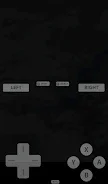
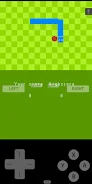
Experience high-performance DS/NDS emulation, allowing you to save and load game states at any time, giving you flexibility in your gaming sessions. One of the standout features of DS Emulator is its customizable touch controls and screen layout, which provide a tailored gaming experience. Additionally, it supports external controllers, making it easier to enjoy your games the way you prefer.
Fast loading times and optimized gameplay enhance your overall experience, whether you're on your phone or tablet. Regular updates and improvements ensure that the emulator keeps up with user needs and technological advancements. The Transfer Session feature (in beta) allows you to continue your game seamlessly on another device connected to the same local Wi-Fi network, making it convenient for those who switch between devices.
This emulator is perfect for anyone wanting to revisit their favorite games from the past or for those with a collection of DS games looking to enjoy them on modern devices. With DS Emulator, you can enhance your gaming experience through personalized settings, save progress, and the option to use external controllers. In conclusion, DS Emulator is the ideal choice for fans of classic games who wish to enjoy them in a convenient format on Android.
Experience nostalgia and keep your game progress accessible at any time, continuing your adventures across various devices.
How to install the app
- Check the version, Android compatibility, developer and source in the app details block.
- Open the Downloads tab and use the official source or an available catalog link.
- Before installing, review app permissions and use only sources you trust.
Frequently asked questions
What formats does DS Emulator support?
DS Emulator supports .nds, .3ds, .zip, and other game formats.
Can I use external controllers with DS Emulator?
Yes, DS Emulator supports external controllers for an enhanced gaming experience.
Is there a feature to transfer game sessions between devices?
Yes, the Transfer Session feature allows you to continue games on another device via local Wi-Fi.
Is DS Emulator suitable for both phones and tablets?
Absolutely, DS Emulator is designed for optimal performance on both phones and tablets.



No comments yet. Be the first!