
Easy Reader - PDF Viewer
Open in Google PlayApp details
- Version
- 1.4.5
- Updated
- 21.09.2026
- Category
- Tools
- Compatibility
- Android 8.0+
- Package name
com.nexusforge.reader.engine- Source
- Official Google Play page
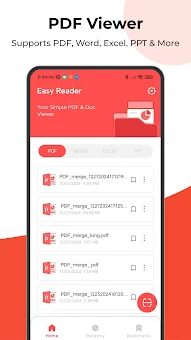
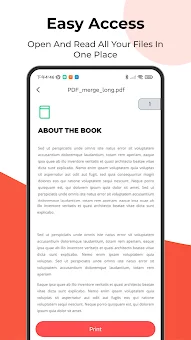
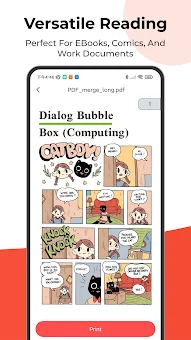
Easy Reader - PDF Viewer is a universal and powerful Android application designed for efficient reading, management, and organization of documents. This versatile app combines the features of a professional PDF viewer with business tools and convenient scanning capabilities, offering swift and productive work with files. It supports a wide range of formats, including PDF, DOCX, XLSX, PPT, TXT, and others, making it an ideal solution for modern usage in both professional and educational environments.
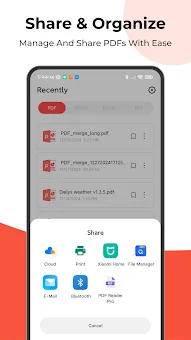
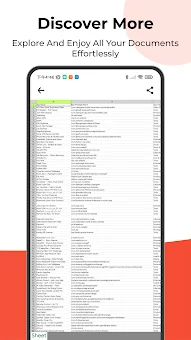
Key features include support for multiple document formats. The app ensures smooth viewing and fast file loading, with special optimization for viewing Excel tables, significantly easing work with data. For PDF work, advanced tools are provided: you can merge multiple files into one, split large documents into parts, convert PDF to images, or convert photos (JPG, PNG) to PDF format.
The built-in document scanner allows for quick digitization of paper versions, which is convenient for fiscal receipts, agreements, or notes. For convenient file organization, a bookmarking system is provided so you can always quickly find important sections, along with access to recently opened documents. This is a reliable tool for clean and structured document management on your device.
The app is ideal for students, office workers, and anyone who values productivity.
How to install the app
- Check the version, Android compatibility, developer and source in the app details block.
- Open the official app page on Google Play if a link is available.
- Before installing, review app permissions and use only sources you trust.
Frequently asked questions
What file formats does Easy Reader - PDF Viewer support?
The application supports a wide variety of file formats including PDF, DOCX, XLSX, PPT, and TXT, making it a versatile tool for various document types.
Can I merge and split PDF files using this app?
Yes, Easy Reader includes advanced tools that allow you to merge multiple PDF files into a single document or split large documents into smaller parts easily.
Does the app have a document scanning feature?
Yes, the app features a built-in document scanner that allows you to quickly digitize paper versions of receipts, agreements, and notes for digital storage.
Is Easy Reader suitable for business and educational use?
Absolutely, the app is designed for students and office workers, offering tools for managing business contracts, educational materials, and scanned documents efficiently.
No comments yet. Be the first!