
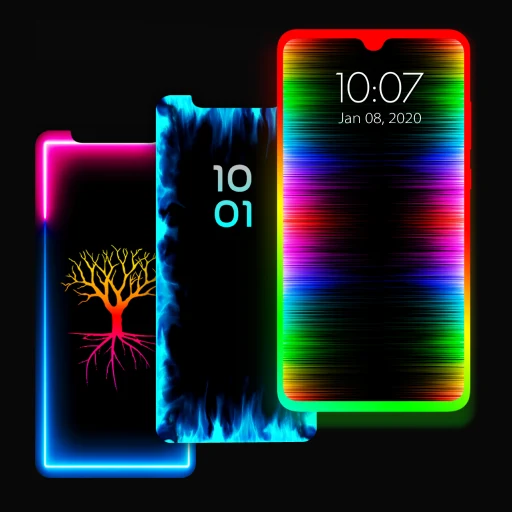
Edge Lighting - Borderlight
Open in Google PlayApp details
- Version
- 3.3.17
- Updated
- 30.09.2026
- Category
- Systemic
- Compatibility
- Android 5.0+
- Package name
com.pixelkraft.edgelighting- Developer
- ZipoApps
- Source
- Official Google Play page
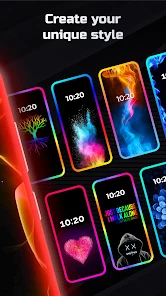
Edge Lighting - Borderlight is a versatile Android application designed to enhance the visual appeal of your smartphone screen. This program allows you to add aesthetic, glowing border effects to both your home screen and lock screen. By personalizing the interface, you can make your device look more modern and visually engaging.
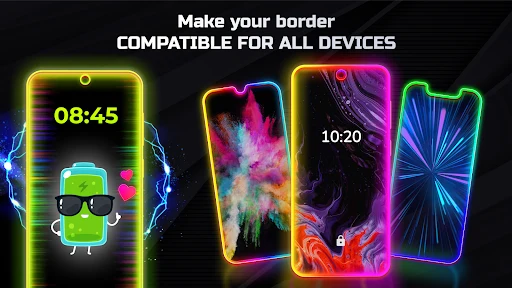
The app supports various screen types, including bezel-less displays with Infinity U, V, and O formats, as well as devices with notches and new wireless display technologies. Enjoy beautiful lighting effects on any phone, regardless of the manufacturer, whether it is Samsung Galaxy, OnePlus, Xiaomi, Redmi, Nokia, Oppo, or Vivo. The main feature of the program is the ability to fully customize the appearance of edge lighting to your liking.
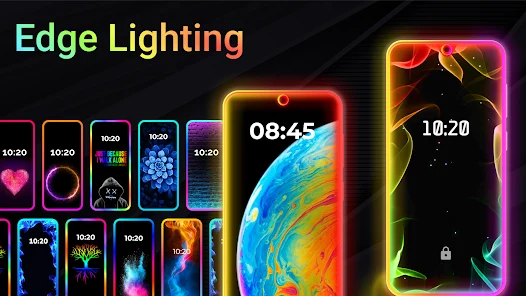
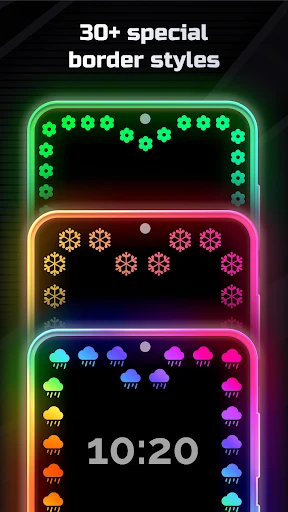
You can change the colors of the border strips, adjust the brightness of the animation, and modify the width and curvature of the top and bottom parts. Special attention is given to adjusting the height and width of the notch on the screen, as well as corner radii. The application offers more than 15 types of frames for lighting, including hearts, birds, suns, lotuses, snowflakes, dolphins, palms, flowers, smileys, Om symbols, clouds, moons, stars, and Christmas trees.
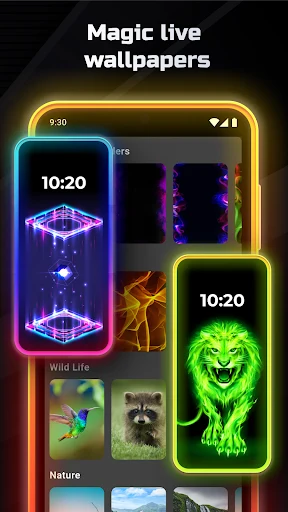
In addition to static frames, you can set up circular color lighting that acts as a living gallery. The add-on supports high-quality 4K backgrounds and allows you to upload your own photos as a background between the lighting frames.
How to install the app
- Check the version, Android compatibility, developer and source in the app details block.
- Open the official app page on Google Play if a link is available.
- Before installing, review app permissions and use only sources you trust.
Frequently asked questions
What types of screens does Edge Lighting - Borderlight support?
The app supports various screen types, including bezel-less displays with Infinity U, V, and O formats, as well as devices with notches and new wireless display technologies.
Can I use my own photos as backgrounds in this app?
Yes, the add-on supports high-quality 4K backgrounds and allows you to upload your own photos as a background between the lighting frames for a personalized look.
How many lighting frames and effects are available?
The application offers more than 15 types of frames for lighting, such as hearts, stars, and dolphins, plus over 30 types of effects in the Magic Lighting section.
Does the lighting work over other applications?
Yes, a crucial function is the ability to display lighting over other applications, creating a stunning visual effect even when using other programs simultaneously.
Similar apps





No comments yet. Be the first!