
Emoji Battery Status Bar
DownloadApp details
- Version
- 1.0.1
- Updated
- 17.10.2026
- Category
- Themes and launcher Android
- Compatibility
- Android
- Package name
com.emoji.battery.status.bar.custom- Source
- Official Google Play page
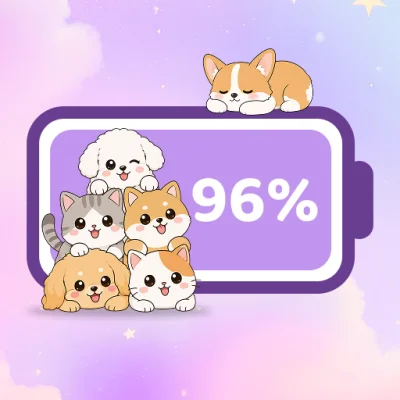
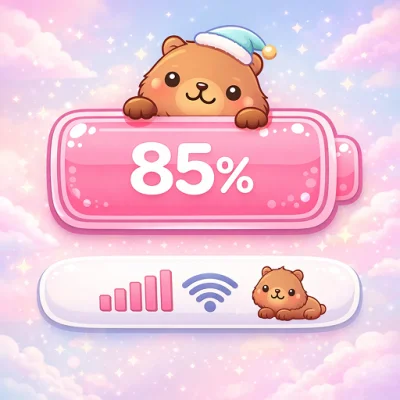
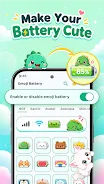
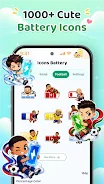
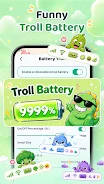
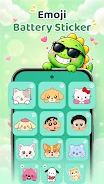
Transform your device's interface with Emoji Battery Status Bar, a versatile Android application designed to replace the standard battery icon with something far more expressive and personalized. This app allows you to customize the appearance of your battery indicator using a wide variety of emojis, animated stickers, colorful details, and even cute virtual pets that move across your screen. It is an ideal solution for users who want to add a touch of individuality and fun to their daily smartphone experience without cluttering the system.
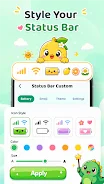
The customization options are extensive, letting you adjust the size of the battery icon, the emoji, the status bar height, alignment, and theme colors. You can also modify the size and color of other status bar icons, including Wi-Fi, mobile data, signal strength, and airplane mode indicators. The app supports various notch styles, such as classic, rounded, heart-shaped, and dynamic cuts, ensuring compatibility with a wide range of Android devices and screen configurations.
This level of detail ensures that your status bar looks cohesive with your overall theme. One of the standout features is the ability to add animated stickers and style emojis to make the status bar more lively. You can place up to five stickers, adjusting their size, rotation, and position to create a unique visual layout.
Additionally, the virtual pet feature adds a playful element, as the pet moves around the screen while you use your phone.
How to install the app
- Check the version, Android compatibility, developer and source in the app details block.
- Open the Downloads tab and use the official source or an available catalog link.
- Before installing, review app permissions and use only sources you trust.
Frequently asked questions
Can I customize the size and color of the battery icon?
Yes, you can adjust the size of the battery icon, emoji, status bar height, alignment, and theme colors to fit your preferred style.
Does the app support animated stickers?
Yes, you can add up to five animated stickers to your status bar and adjust their size, rotation, and position.
Is there a virtual pet feature?
Yes, you can add a cute pet that moves across the screen, with customizable size, speed, and position.
Can I save my favorite battery designs?
Yes, the app allows you to save your favorite designs and access recently used layouts for quick switching.
Similar apps



No comments yet. Be the first!