

Family Link parental controls
DownloadApp details
- Updated
- 24.10.2026
- Category
- Tools
- Compatibility
- ANDROID
- Package name
com.google.android.apps.kids.familylinkhelper- Developer
- Google LLC
- Source
- Official Google Play page
Family Link parental controls is a powerful companion app designed to help you manage your child's digital life with ease and confidence. This essential tool allows parents to set up digital rules remotely, ensuring that children can explore the online world safely while developing healthy technology habits. By bridging the gap between parental oversight and child independence, the application provides a seamless experience for managing screen time, app usage, and device access from a single dashboard.
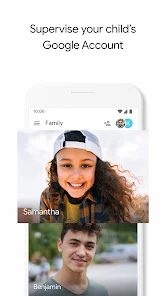
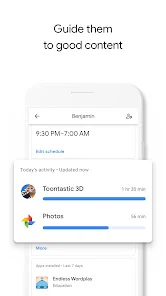
For children under thirteen, the service facilitates the creation of a supervised Google account that mirrors the parent's account, granting access to most Google services. Parents can monitor their child's activity through detailed reports displayed in daily, weekly, or monthly formats. This data helps you evaluate whether screen time is being used productively or if adjustments are needed to maintain a healthy balance between digital engagement and other activities.
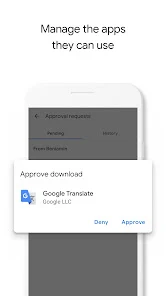
Managing applications has never been easier. You can control app downloads directly from the Google Play Store by receiving notifications for requests and approving or blocking them instantly from your device. The app also handles in-app purchases and allows you to hide specific programs from view.
How to install the app
- Check the version, Android compatibility, developer and source in the app details block.
- Open the Downloads tab and use the official source or an available catalog link.
- Before installing, review app permissions and use only sources you trust.
Frequently asked questions
How does Family Link help manage screen time?
Parents can set daily time limits for app usage and specific bedtime hours to ensure a healthy balance between digital device usage and other daily activities.
Can I approve app downloads remotely?
Yes, you receive notifications when your child requests to download an app from the Google Play Store, allowing you to approve or block the installation instantly from your device.
Does the app include geolocation features?
Yes, the application includes a geolocation feature that helps you find the location of your child's Android device, providing an additional layer of safety and security.
What age group is the supervised account for?
The supervised Google account is primarily designed for children under the age of thirteen, or the applicable age of consent in your country, to manage their digital access.
Similar apps





No comments yet. Be the first!