
Flex Timer
DownloadApp details
- Version
- 6.1.1
- Updated
- 28.09.2026
- Category
- Miscellaneous
- Compatibility
- Android 12+
- Package name
com.gymnext.timer- Developer
- GymNext
- Source
- Official Google Play page
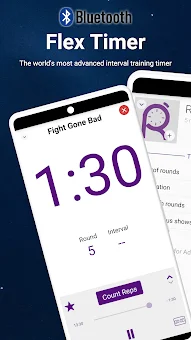
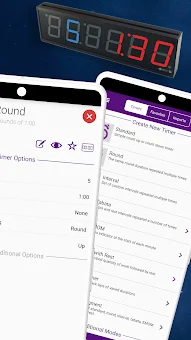
Experience the future of interval training with Flex Timer, the world's first app designed to seamlessly control wall-mounted LED displays while offering a powerful standalone experience. This innovative Android application bridges the gap between traditional bulky LED timers and modern smartphone convenience. Say goodbye to difficult remotes that break or get lost, and stop squinting at small phone screens across a crowded gym.
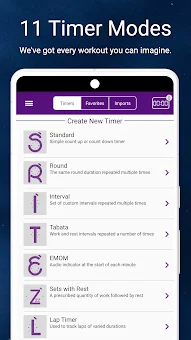
Flex Timer combines high-visibility display output with an intuitive interface, making it the ultimate tool for CrossFit, HIIT, Bootcamps, MMA, boxing, and various other intense workout routines. The app boasts eleven highly customizable timer modes to cover virtually any workout scenario you can imagine. These include Standard, Round, Interval, Tabata, EMOM, Sets with Rest, Stopwatch, Multi-Segment, Shot Clock, Scoreboard, and Beep Test.
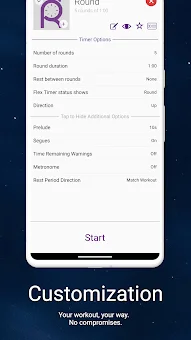
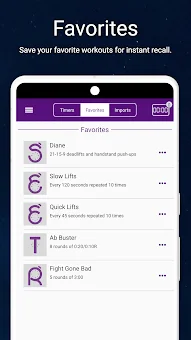
You can save your favorite workout configurations for instant recall, ensuring that your specific training protocols are always ready. Whether you are running a complex Tabata session or a simple stopwatch workout, Flex Timer adapts to your needs with precision and ease. Connectivity is at the heart of the Flex Timer experience.
Use the app standalone without an LED display, or pair it with GymNext Home or Gym Edition timers for a complete visual solution.
How to install the app
- Check the version, Android compatibility, developer and source in the app details block.
- Open the Downloads tab and use the official source or an available catalog link.
- Before installing, review app permissions and use only sources you trust.
Frequently asked questions
What timer modes are available in the Flex Timer app?
The app includes eleven modes such as Standard, Round, Interval, Tabata, EMOM, Sets with Rest, Stopwatch, Multi-Segment, Shot Clock, Scoreboard, and Beep Test.
Can I use Flex Timer without a wall-mounted LED display?
Yes, you can use the app as a standalone timer on your smartphone, or combine it with GymNext Home or Gym Edition LED displays for better visibility.
How does Flex Timer handle heart rate monitoring?
You can connect a Bluetooth heart rate monitor to track your heart rate in real-time and set up zones to know if your pace is appropriate for your workout.
Does the app support controlling multiple displays at once?
Yes, you can connect to multiple clocks around your gym to simultaneously control all of them or hook up to them individually to run separate classes.

No comments yet. Be the first!