

Google Contacts
Open in Google PlayApp details
- Version
- 4.87.27.974164896
- Updated
- 03.09.2026
- Compatibility
- Android 10+
- Package name
com.google.android.contacts- Source
- Official Google Play page
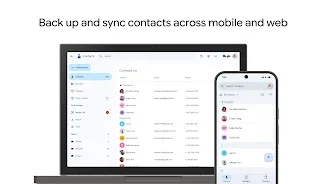
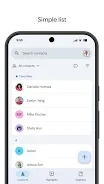
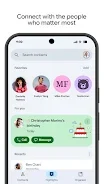
Google Contacts is a convenient application for managing your address book, allowing you to store and synchronize your contacts across all devices. Thanks to this feature, you always have access to important information wherever you are. The app ensures that your personal data is always at your fingertips, making it easier to stay connected with friends, family, and colleagues without missing a beat.
A key feature is the reliable backup of your contacts in your Google account, ensuring their safety and security. You can access your contacts from any device where you are logged into your account, including a new phone. This seamless synchronization means that your updated list is always available, regardless of which Android device you are using at the moment.
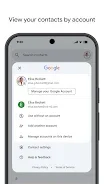
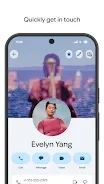
The application also offers the ability to recover contacts deleted within the last 30 days from the trash bin. You can organize contacts by accounts, such as work or personal, for greater convenience. Adding new contacts is easy, and you can edit information like phone numbers, email addresses, and photos with simple taps.
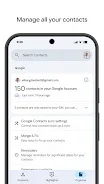
Google Contacts helps merge duplicate contacts and adds useful details automatically. This feature keeps your address book clean and organized, saving you time when searching for specific people.
How to install the app
- Check the version, Android compatibility, developer and source in the app details block.
- Open the official app page on Google Play if a link is available.
- Before installing, review app permissions and use only sources you trust.
Frequently asked questions
How do I backup my contacts on Android?
Google Contacts automatically backs up your contacts to your Google account, ensuring they are safe and accessible from any device.
Can I recover deleted contacts?
Yes, you can recover contacts deleted within the last 30 days from the trash bin in the Google Contacts app.
How do I merge duplicate contacts?
The app helps merge duplicate contacts automatically, keeping your list clean and organized without manual effort.
Similar apps




No comments yet. Be the first!