
Google Family Link
DownloadApp details
- Updated
- 24.10.2026
- Category
- Tools
- Compatibility
- ANDROID
- Package name
com.google.android.apps.kids.familylink- Developer
- Google LLC
- Source
- Official Google Play page
Google Family Link is a comprehensive parental control application designed to help parents ensure their children's safety in the digital environment while fostering healthy technology habits. Every family has unique needs, and this app provides flexible tools to adjust the balance between online activity and offline life. With Family Link, you can monitor the time your child spends on their device, check their location, and manage privacy settings with ease.
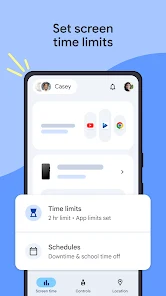
It serves as an essential guide for establishing digital boundaries that suit your household's routine. The application allows you to set daily screen time limits, helping to create a healthy balance between usage and rest. You can configure schedules for school hours and downtime, ensuring that devices do not interfere with sleep or family time.
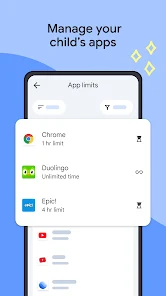
Additionally, you can manage apps by setting individual limits for specific programs. You have the flexibility to grant unlimited access to educational or frequently used apps while blocking those you prefer to restrict, giving you granular control over your child's digital experience. Content filtering and security management are central features of Google Family Link.
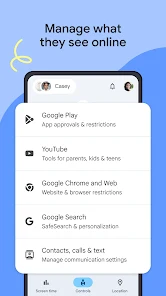
Parents can control Google services such as Chrome, the Play Store, and YouTube. You can block unfamiliar websites, require approval for new app installations, and manage permissions for apps and websites.
How to install the app
- Check the version, Android compatibility, developer and source in the app details block.
- Open the Downloads tab and use the official source or an available catalog link.
- Before installing, review app permissions and use only sources you trust.
Frequently asked questions
How does Google Family Link help with screen time?
Google Family Link allows parents to set daily screen time limits for their children's devices. You can define specific times when the device can or cannot be used, such as during school hours or before bedtime, ensuring a healthy balance between digital usage and offline activities.
Can I track my child's location with Family Link?
Yes, you can see your child's location on a map as long as their device is turned on and connected to the internet. This feature helps you know where your child is, providing an extra layer of security and peace of mind for parents who want to stay connected.
What apps can I control with Google Family Link?
You can manage apps on the Google Play Store, including approving new downloads, setting time limits for specific apps, and blocking apps you do not want your child to use. It also controls access to Google services like Chrome, YouTube, and search, allowing for comprehensive content filtering.
Can my child manage their own account?
Children who reach a certain age can begin to manage their own Google accounts. They can request to remove parental controls or manage their settings, which helps them learn responsibility while still being under your supervision. This transition supports their growing independence.
Similar apps







No comments yet. Be the first!