
Google Gemini
DownloadApp details
- Updated
- 24.10.2026
- Category
- Tools
- Compatibility
- ANDROID
- Package name
com.google.android.apps.bard- Developer
- Google LLC
- Source
- Official Google Play page
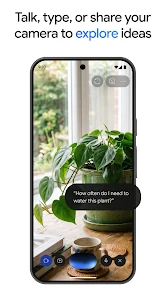
Google Gemini is a versatile AI companion designed to support you throughout your entire day, from morning routines to late-night creative sessions. Powered by the latest Gemini 3.6 and Gemini Omni models, it unlocks a new level of productivity and creativity. Users can interact with the assistant in real-time using Gemini Live, sharing screens or camera feeds for collaborative discussions.
Instead of receiving dry text blocks, you get carefully crafted responses with interactive images, timelines, and data visualizations that make complex information easier to digest. The app integrates seamlessly with popular Google services like Gmail, Calendar, Google Photos, YouTube, and Search to provide personalized assistance. You can upload documents, spreadsheets, photos, and videos to receive tailored summaries, insights, and answers based on your specific content.
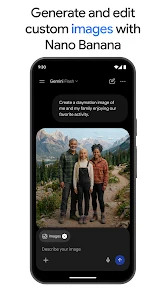
This deep integration ensures that your digital workflow is smoother and more efficient, allowing you to focus on what matters most without losing context across different apps. Creative ideas are easily turned into reality with tools like Nano Banana 2. This feature allows you to generate and edit images, apply precise camera and lighting controls, create designs by combining multiple visuals, and build posters with clear text.
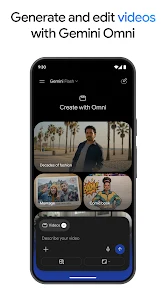
Additionally, users with Google AI Plus, Pro, Ultra, or Workspace subscriptions can transform their concepts into cinematic videos using Gemini Omni.
How to install the app
- Check the version, Android compatibility, developer and source in the app details block.
- Open the Downloads tab and use the official source or an available catalog link.
- Before installing, review app permissions and use only sources you trust.
Frequently asked questions
What is Google Gemini and how does it work?
Google Gemini is an AI assistant that integrates with Google services like Gmail and Photos. It uses advanced models like Gemini 3.6 and Omni to provide real-time chat, image generation, and video creation features for enhanced productivity.
Can I use Gemini for video creation on Android?
Yes, users with Google AI Plus, Pro, Ultra, or Workspace can use Gemini Omni to transform ideas into cinematic videos directly on their Android devices.
What features does NotebookLM offer in Gemini?
NotebookLM helps you study and prepare by generating personalized test questions and interactive visualizations from your uploaded notes and sources for deeper learning.
How does Gemini Live improve collaboration?
Gemini Live allows you to interact with the AI in real-time, sharing your screen or camera to discuss projects and receive immediate, visual feedback on your queries.






No comments yet. Be the first!