
GPS Camera with Time Stamp
DownloadApp details
- Version
- 4.8.0
- Updated
- 04.10.2026
- Category
- Tools
- Compatibility
- Android 12+
- Package name
com.geotag.camera.location.mapgps- Developer
- Wanda Gallery Studio
- Source
- Official Google Play page
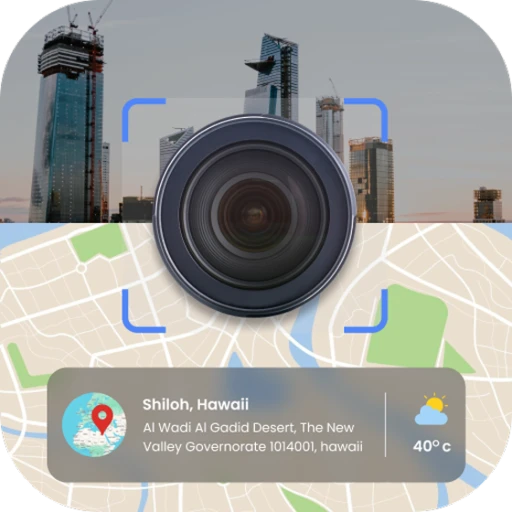
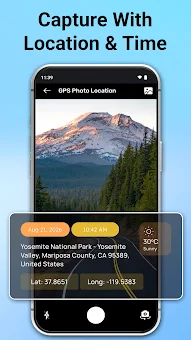
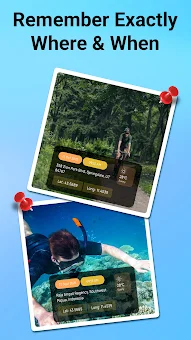
The GPS Camera with Time Stamp application offers a streamlined and automatic way to add geolocation, date, and time data to every photo you capture. This tool is ideal for travelers, photographers, and professionals who require precise documentation of events. Thanks to its automated process, you do not need to manually enter data; simply open the camera, take a picture, and the program automatically adds the coordinates, longitude, and address directly onto the image.
Among its key features is the built-in camera capable of taking photos and videos with overlaid stamps. Users can choose from various styles and templates, ranging from minimalist and colorful to professional variants, allowing you to adapt the appearance of the watermark to any need. The application also includes a photo-grid mode, which allows you to creatively display your images together with a map of their placement, providing a comprehensive visual summary of your location data.
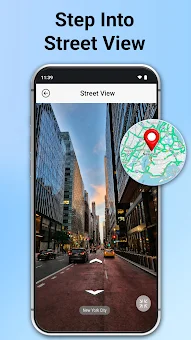
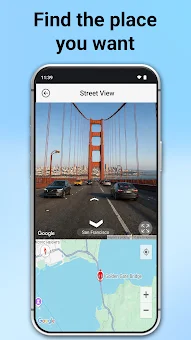
For navigation, a compass mode is provided, showing the direction of movement both on a map and in the camera window, ensuring confidence during journeys. A unique Earth View mode turns your phone into a powerful 3D instrument for exploring the planet anywhere and anytime. This feature enhances the user experience by blending creative photography with advanced geographical visualization tools.
The program is particularly useful for professional activities.
How to install the app
- Check the version, Android compatibility, developer and source in the app details block.
- Open the Downloads tab and use the official source or an available catalog link.
- Before installing, review app permissions and use only sources you trust.
Frequently asked questions
How does the GPS Camera with Time Stamp work?
The app automatically detects your current location using GPS and overlays the coordinates, date, and time directly onto the photo when you take a picture, ensuring accurate metadata without manual input.
Can I customize the appearance of the GPS stamp?
Yes, users can choose from various styles and templates, including minimalist, colorful, and professional variants, allowing them to adapt the look of the watermark to suit their specific needs and preferences.
Is this app suitable for professional use?
Absolutely. It is widely used by geodesists, real estate agents, construction teams, and field inspectors to reliably document inspections and simplify reporting by attaching precise location and time data to each image.
Does the app support multiple languages?
Yes, the application supports multiple languages, which ensures a convenient interface for users from different regions without any language barriers, making it accessible for a global audience of travelers and professionals.
Similar apps






No comments yet. Be the first!