

HP Print Service Plugin
Open in Google PlayApp details
- Version
- 23.2.6.3182
- Updated
- 11.06.2026
- Category
- Tools
- Compatibility
- Android 6.0+
- Package name
com.hp.android.printservice- Developer
- HP Inc.
- Source
- Official Google Play page
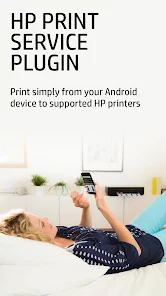
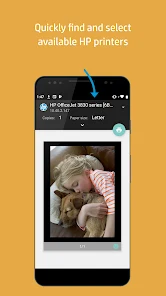
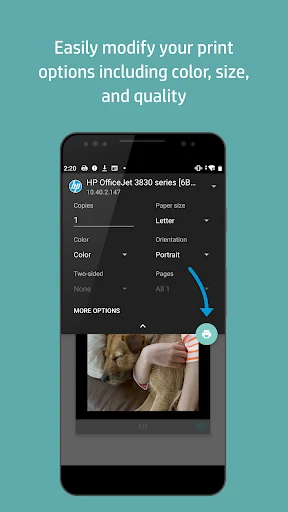
The HP Print Service Plugin is an essential driver that enables convenient printing of documents, spreadsheets, and photos from supported apps directly to various HP printers. This plugin allows you to easily send data to devices from the HP OfficeJet, HP LaserJet, HP DesignJet, HP Photosmart, HP DeskJet, and HP Envy series. It detects printers connected to the same network, supports Wi-Fi Direct connections, and allows USB On-the-Go cable connections for immediate printing needs.
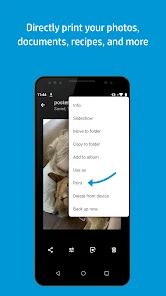
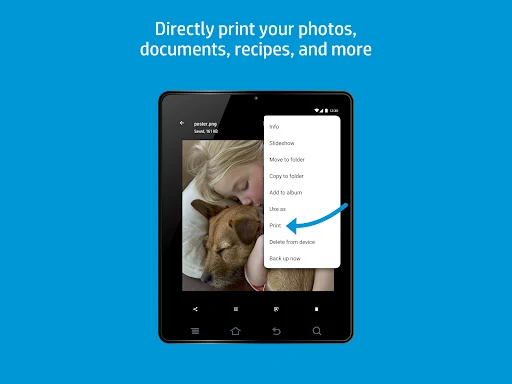
Printing is simple: just tap the Print or Share option from the app menu. The plugin integrates seamlessly into the standard Android system, ensuring a natural and intuitive user experience. It supports devices running Android Lollipop (version 5.0) and newer.
If you are using Android 6 (Marshmallow) or an older version, you may need to manually enable the plugin in your device settings to ensure full functionality and compatibility with your specific Android model. This add-on is particularly useful for HP smartphone and tablet users who need to quickly print important files without connecting to a computer. It is ideal for office workers, students, and home users who value convenience and speed.
The plugin eliminates the need to install separate programs for each file type, consolidating all printing functions into one place for a streamlined workflow. The system supports various connection methods, providing flexibility in different environments such as at home, in the office, or on the go.
How to install the app
- Check the version, Android compatibility, developer and source in the app details block.
- Open the official app page on Google Play if a link is available.
- Before installing, review app permissions and use only sources you trust.
Frequently asked questions
What Android versions support the HP Print Service Plugin?
The plugin officially supports Android Lollipop (version 5.0) and newer versions. Users on older versions like Android 6 may need to manually enable it in settings for it to function correctly.
Which HP printer series are compatible with this plugin?
The plugin is compatible with a wide range of HP devices, including the OfficeJet, LaserJet, DesignJet, Photosmart, DeskJet, and Envy series, allowing direct printing from supported apps.
How do I connect my printer without a network?
You can connect your printer without a network by using Wi-Fi Direct for a direct wireless link or by using a USB On-the-Go cable to connect your Android device directly to the printer.
Do I need to install separate apps for each file type?
No, the HP Print Service Plugin consolidates all printing functions into one place. It eliminates the need to install separate programs for different file types, streamlining the printing process.
Similar apps



No comments yet. Be the first!