
IPTV PLAYER & Smart TV
DownloadApp details
- Version
- 1.0.3
- Updated
- 15.09.2026
- Category
- AI
- Compatibility
- Android 7.0+
- Package name
com.live.streaming.iptv.stream.onlinetv- Source
- Official Google Play page
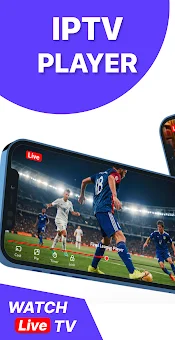
IPTV PLAYER & Smart TV is a powerful and user-friendly media player application designed for Android users who want to manage and playback their own IPTV playlists and stream sources. This modern application offers a sleek interface that allows for easy import of M3U playlists, organized channel management, and smooth content viewing. It is important to note that the add-on is strictly a player; it does not provide, host, or sell any channels, media content, TV programs, or playlists.
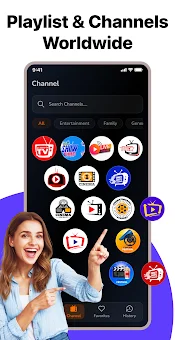
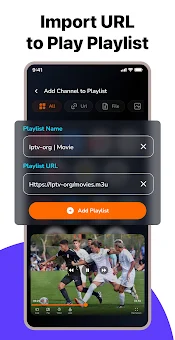
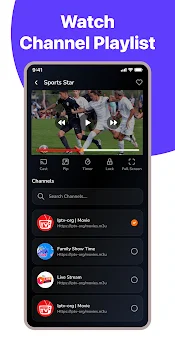
Users are responsible for providing their own legally authorized content sources. The core features include full support for M3U playlists, enabling you to quickly import and manage personal media lists through a clean interface. A convenient channel search function with filtering tools helps you find the content you need faster.
You can save your favorite channels to a favorites list for instant access. The viewing history feature allows you to easily return to recently watched content, ensuring you never lose track of what you have seen. This app supports Picture-in-Picture (PiP) mode, allowing you to continue watching content while using other applications.
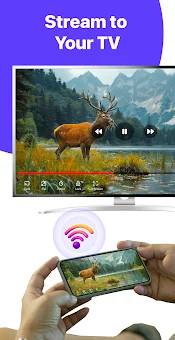
Casting functionality is also available, letting you stream to compatible devices for viewing on larger screens. The application is known for its high performance and lightweight architecture, ensuring smooth playback and simple navigation.
How to install the app
- Check the version, Android compatibility, developer and source in the app details block.
- Open the Downloads tab and use the official source or an available catalog link.
- Before installing, review app permissions and use only sources you trust.
Frequently asked questions
Does IPTV PLAYER & Smart TV provide its own content?
No, the application is strictly a media player. It does not provide, host, or sell any channels, media content, TV programs, or playlists. Users must provide their own legally authorized content sources.
What playlist formats are supported?
The application supports M3U playlists, allowing users to quickly import and manage personal media lists through a clean and intuitive interface for easy content organization.
Can I use this app on Smart TV devices?
Yes, the app is suitable for use on both mobile devices and Smart TVs, providing a unified viewing experience for all your media sources and supporting casting to larger screens.
What is Picture-in-Picture mode?
Picture-in-Picture (PiP) mode allows you to continue watching content in a small window while using other applications on your Android device, enhancing multitasking capabilities.
Similar apps


No comments yet. Be the first!