
LogiBrain Grids
Open in Google PlayApp details
- Version
- 1.7.27
- Updated
- 14.09.2026
- Category
- Words
- Compatibility
- Android 11+
- Package name
com.pijappi.logibraingrids- Source
- Official Google Play page
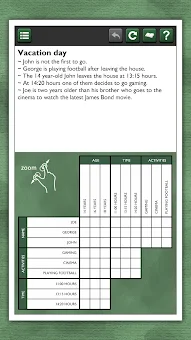
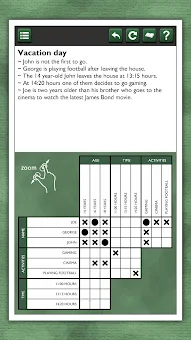
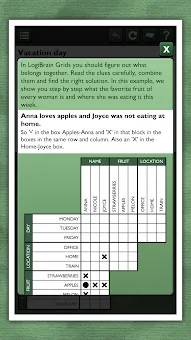
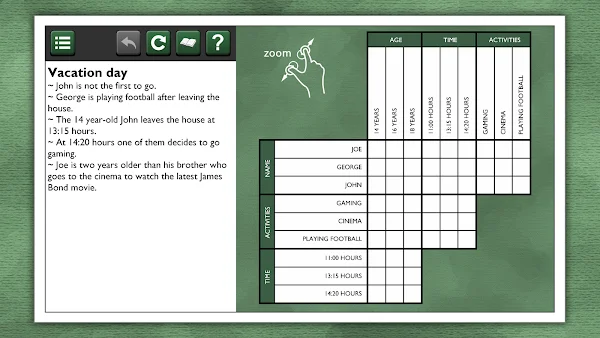
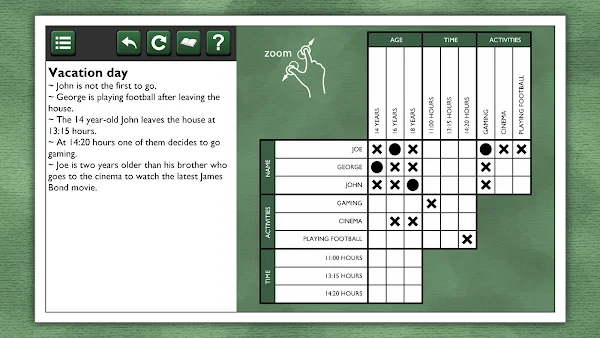
LogiBrain Grids APK brings the classic experience of paper-based logic puzzles directly to your Android device, eliminating the need to carry bulky booklets wherever you go. This grid-based logic puzzle game is designed to keep your brain sharp by challenging you to decode written clues and mark relationships between items while eliminating other possibilities. Whether you are commuting, relaxing at home, or traveling, you can now enjoy your favorite mental exercises on your phone or tablet with a user-friendly interface optimized for mobile screens.
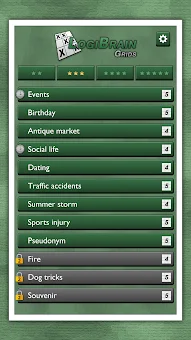
The app offers a variety of puzzles with different difficulty levels, indicated by the visual style behind each puzzle title. You can start with the 20 free logic grid puzzles included to get a feel for the mechanics, or purchase additional packages for more hours of puzzling fun. The game features puzzles of varying sizes, including 3, 4, or 5 squares, ensuring there is a challenge for every level of logic enthusiast.
The long-press option helps you quickly mark relationships, making the solving process smoother and more intuitive than traditional pen-and-paper methods. LogiBrain Grids includes several helpful features to enhance your gaming experience. You can use the erase errors button to clean up incorrect marks, undo mistakes with the undo feature, or view the solution if you get completely stuck.
How to install the app
- Check the version, Android compatibility, developer and source in the app details block.
- Open the official app page on Google Play if a link is available.
- Before installing, review app permissions and use only sources you trust.
Frequently asked questions
Is LogiBrain Grids free to play on Android?
Yes, LogiBrain Grids APK includes 20 free logic grid puzzles to get you started. Additional puzzle packs are available for in-app purchase if you want more content.
Does LogiBrain Grids support tablets and phones?
The app is optimized for both phones and tablets. You can zoom and drag the puzzle grid to adjust it to your specific screen size for the best viewing experience.
Can I undo mistakes or see the solution in LogiBrain Grids?
Yes, the app includes an undo feature to correct mistakes and an erase errors button. If you are stuck, you can use the show solution option to view the correct answer.
How does the game save my progress?
LogiBrain Grids automatically saves your games so you can resume at any time. Game data is stored locally on your device, but it cannot be transferred between different devices.
Similar apps



No comments yet. Be the first!