
Mining GunZ
Open in Google PlayApp details
- Version
- 3.0027
- Updated
- 30.05.2021
- Category
- Arcade
- Compatibility
- Android 4.1
- Package name
com.icestorm.mininggunz- Source
- Official Google Play page
Mining GunZ offers a compelling blend of idle gaming mechanics and strategic tower defense elements, creating an engaging experience for Android users who enjoy progression-based gameplay. The core concept revolves around defending your territory against waves of enemies while simultaneously gathering resources to upgrade your arsenal. This dual-layered approach ensures that players remain constantly engaged, balancing immediate tactical decisions with long-term strategic planning to achieve victory.
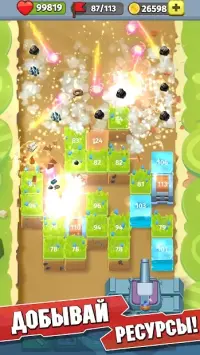
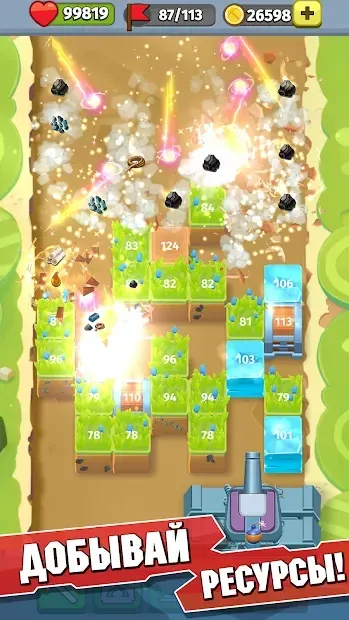
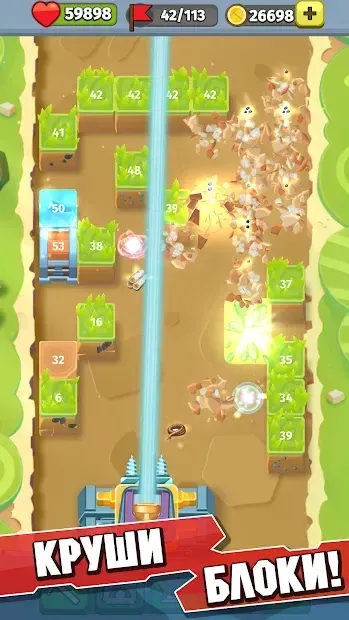
At the heart of the game lies a powerful cannon that serves as your primary defense mechanism. You must utilize this artillery to destroy blocks and enemies that appear on the battlefield. Each block requires a specific number of hits to be destroyed, which is clearly indicated directly on the block itself.
This visual feedback helps players manage their ammunition and timing effectively, ensuring that they do not waste shots on heavily armored targets while leaving weaker ones vulnerable. As you progress through the early stages, the game may initially seem quite manageable and easy to conquer. However, this initial ease is merely a prelude to more challenging scenarios.
As you advance, the difficulty curve rises steadily, requiring you to adapt your strategies and refine your defensive setups.
How to install the app
- Check the version, Android compatibility, developer and source in the app details block.
- Open the official app page on Google Play if a link is available.
- Before installing, review app permissions and use only sources you trust.
Frequently asked questions
What is the main gameplay loop in Mining GunZ?
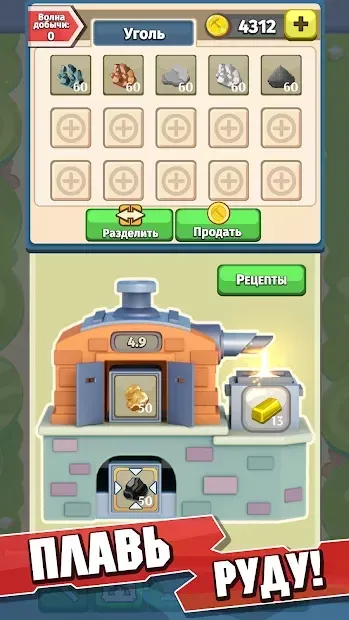
The main gameplay loop involves using a cannon to destroy blocks and enemies on the battlefield, gathering resources and ore from these defeated targets to upgrade your weapon's damage and other characteristics for future challenges.
How do I upgrade my cannon in Mining GunZ?
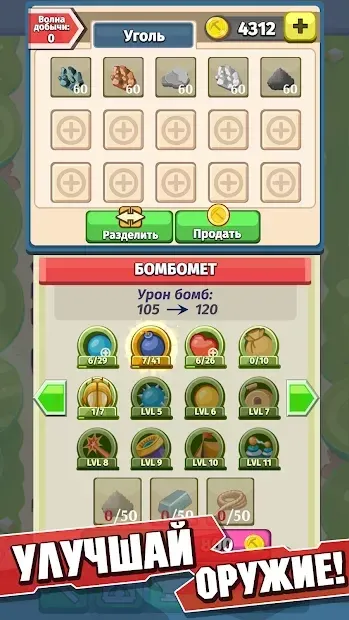
You upgrade your cannon by collecting resources and ore from destroyed blocks. These materials are used to modernize your weapon, increasing its damage output and other key characteristics to help you survive harder enemy waves.
Is Mining GunZ suitable for beginners?
Yes, the early stages of the game are designed to be relatively easy, allowing beginners to understand the mechanics. However, the difficulty increases gradually, offering a satisfying challenge for players who want to test their strategic skills.
What platform is Mining GunZ available on?
Mining GunZ is available as an APK file for Android devices, allowing users to install and play the game directly on their smartphones or tablets without needing a traditional app store download if sideloading is enabled.
Similar apps




No comments yet. Be the first!