
Move to iOS
Open in Google PlaySpaceAPK does not provide APK files. A listed Google Play link is a reference: check the store for availability, version, price and paid features. The catalog version is not offered as a downloadable file.
App details
- Recorded version
- 4.0.3
- Updated
- 22.09.2026
- Category
- Tools
- Compatibility
- Android
- Package name
com.apple.movetoios- Source
- Google Play reference
Move to iOS is a convenient application designed to facilitate the transition from Android to iOS. With this tool, you can quickly and securely transfer all your data to your new iPhone or iPad in just a few simple steps. There's no need to worry about saving information beforehand; everything is done automatically.
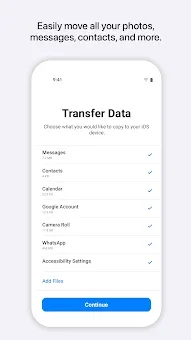
Key features of Move to iOS include transferring apps, calendars, call logs, contacts, photos and videos from your camera, email account settings, message history, voice memos, and WhatsApp content. To ensure a successful data transfer, keep both devices nearby and connected to power until the process is complete. Once you select the data to transfer, your new iPhone or iPad will create a private Wi-Fi network and locate your Android device with Move to iOS activated.
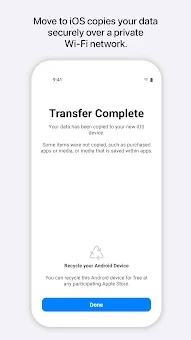
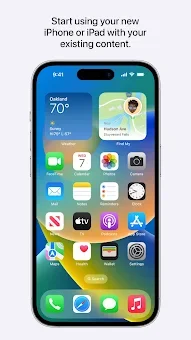
Enter the security code, and the transfer process will begin automatically, placing your data in the appropriate locations. This application is essential for anyone who has decided to switch to iOS, especially those who want to retain their data without unnecessary hassle. After the transfer is complete, you can immediately start enjoying the new features of your iPhone or iPad.
In summary, Move to iOS is the simplest and most effective way to transfer data, making the switch from Android to iOS as comfortable as possible. Enjoy the new possibilities your device has to offer!
Availability and source
- Check the version, Android compatibility, developer and source in the app details block.
- Open the official app page on Google Play if a link is available.
- Before installing, review app permissions and use only sources you trust.
Frequently asked questions
What devices are compatible with Move to iOS?
Move to iOS works with iPhones and iPads running iOS 9 or later.
How does the data transfer process work?
The app creates a private Wi-Fi network to securely transfer data automatically.
What types of data can I transfer?
You can transfer contacts, photos, videos, messages, and more.
Is my data safe during the transfer?
Yes, the app uses secure methods to protect your data throughout the transfer.
Similar apps








No comments yet. Be the first!
Leave a comment