
Native Camera
DownloadApp details
- Version
- 1.4.3
- Updated
- 06.10.2026
- Category
- Photo editors
- Compatibility
- Android 8.0+
- Package name
com.rawcam.app- Developer
- N8 Media
- Source
- Official Google Play page
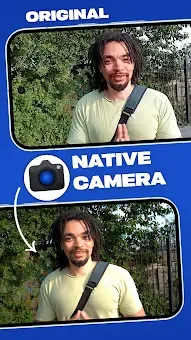
Take full control of your mobile cinematography with Native Camera, an advanced Android application designed for enthusiasts and professionals who want to unlock the true potential of their smartphone's hardware. Unlike standard camera apps that apply heavy default processing, Native Camera bypasses the manufacturer's image processing pipeline. This allows you to avoid excessive compression and artificial effects, resulting in much cleaner and more natural-looking images and videos that truly reflect the capabilities of your device's sensor.
The app excels in supporting professional video formats, making it a powerful tool for content creators. You can record in impressive 10-bit HLG HDR, which provides an uncurated dynamic range and vivid colors, ideal for high-end production. Alternatively, you can use the standard 8-bit SDR format for maximum compatibility with other devices.
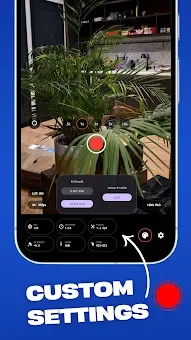
The application allows you to adjust high bitrates, preventing excessive file compression and ensuring clean video for post-production editing. A standout feature is the Boosted ISO mode, which is optimized specifically for the hardware. This function significantly enhances video preview clarity and allows you to capture clean low-light shots without excessive noise.
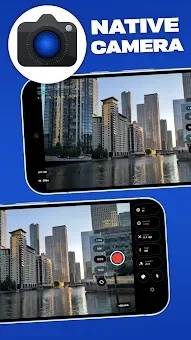
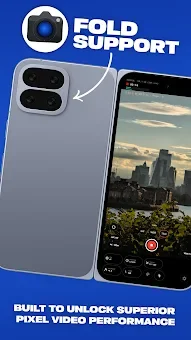
The interface is distinguished by its simplicity and efficiency.
How to install the app
- Check the version, Android compatibility, developer and source in the app details block.
- Open the Downloads tab and use the official source or an available catalog link.
- Before installing, review app permissions and use only sources you trust.
Frequently asked questions
What video formats does Native Camera support?
Native Camera supports professional 10-bit HLG HDR for wide dynamic range and standard 8-bit SDR for broad device compatibility, allowing users to choose based on their editing needs.
How does Native Camera improve image quality?
It bypasses the default manufacturer image processing, reducing compression and artificial effects to deliver cleaner, more natural-looking photos and videos directly from the sensor.
Is there a low-light mode in Native Camera?
Yes, the app features a Boosted ISO mode optimized for hardware, which enhances video preview clarity and enables clean low-light shots with minimal noise interference.
Can I adjust exposure and focus manually?
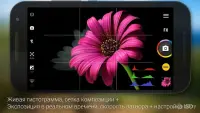
Absolutely, all settings including exposure, ISO, focus, white balance, and stabilization are accessible on a clean, modern single-screen interface for precise manual control.
Similar apps

No comments yet. Be the first!