

Nebula: Cloud Gaming
DownloadApp details
- Version
- 1.5.3
- Updated
- 07.09.2026
- Category
- AI
- Compatibility
- Android 8.0+
- Package name
com.nebula.release- Source
- Official Google Play page
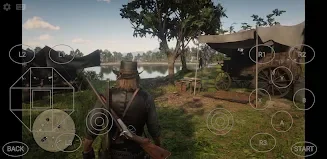
Nebula transforms your Android smartphone, tablet, or TV into a powerful gaming platform by streaming high-quality AAA titles directly from the cloud. You no longer need expensive hardware or long download times for large game files. All games are available on servers, requiring only a stable internet connection to start playing instantly.
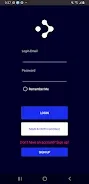
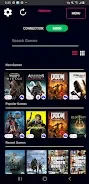
This approach eliminates the wait for updates and the need for massive storage space on your device. The application features an intuitive interface and supports cloud saves, allowing you to continue your progress on any compatible device seamlessly. It offers native support for Bluetooth controllers, providing a console-like gaming experience on mobile screens.
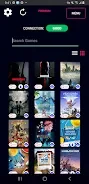
The library includes a vast collection of popular games, ensuring there is something for every type of gamer. Setup is quick, and the streaming quality remains consistent across different devices. A standout feature is the built-in free VPN powered by the WireGuard protocol.
It automatically activates during gameplay to optimize network routes, reduce latency, and protect your data with end-to-end encryption. The VPN connects through secure servers, such as those in Singapore, and shuts down automatically when you close the app. Nebula does not collect or share your data beyond the necessary gaming traffic, ensuring privacy while you play.
For the best experience, a minimum internet speed of 30 Mbps is required, with 100 Mbps recommended for optimal performance.
How to install the app
- Check the version, Android compatibility, developer and source in the app details block.
- Open the Downloads tab and use the official source or an available catalog link.
- Before installing, review app permissions and use only sources you trust.
Frequently asked questions
Does Nebula require a powerful Android device?
No, Nebula streams games from the cloud, so it works on most Android smartphones, tablets, and TVs without requiring high-end hardware.
Is there a built-in VPN in the Nebula app?
Yes, Nebula includes a free VPN based on WireGuard that activates automatically during gameplay to reduce latency and secure your connection.
What internet speed is recommended for Nebula?
A minimum of 30 Mbps is required, but 100 Mbps is recommended for the best streaming quality and performance.
Can I use a Bluetooth controller with Nebula?
Yes, the app supports Bluetooth controllers, providing a comfortable gaming experience similar to console gaming.
Similar apps






No comments yet. Be the first!