

NukoClip - Layered Drawing
DownloadApp details
- Version
- 1.0.4
- Updated
- 28.09.2026
- Category
- Miscellaneous
- Compatibility
- Android
- Package name
io.github.wildheit.nukoclip- Developer
- Nuko
- Source
- Official Google Play page
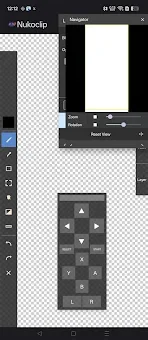
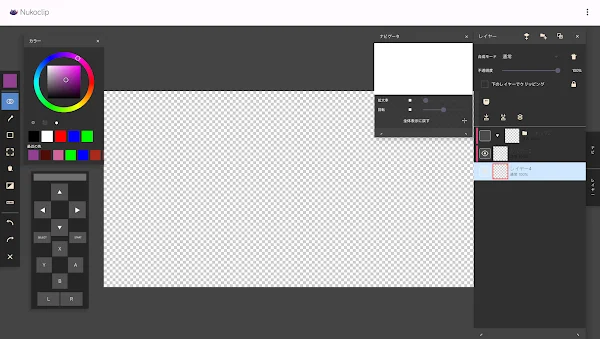
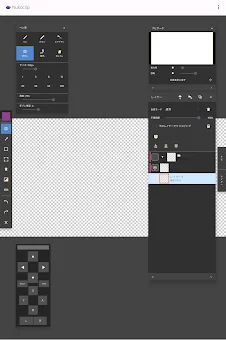
NukoClip is a powerful and versatile drawing application designed specifically for Android smartphones and tablets. It serves as an ideal tool for serious illustrators who need professional-grade features in a mobile environment. The app provides a robust set of basic drawing instruments, including a pen, brush, airbrush, eraser, smudge tool, and move tool.
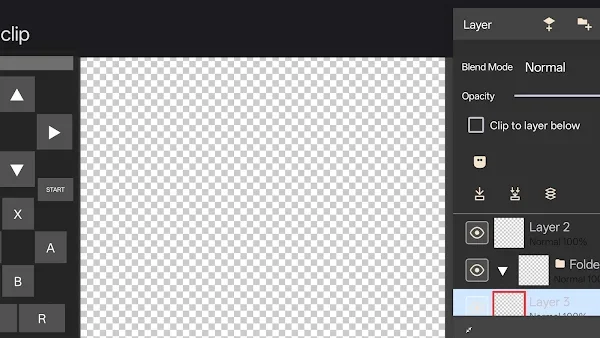
All these tools support pressure sensitivity, stroke stabilization, and precise control over line thickness and intensity, ensuring smooth and natural drawing experiences. One of the standout features of NukoClip is its advanced layer system. Users have access to 18 different blending modes, such as Normal, Multiply, Screen, and Overlay.
The app also includes settings for opacity, layer masks, alpha locking, and the ability to attach layers to the bottom layer. For better organization, you can group layers into folders and use multi-selection features. This makes managing complex illustrations much easier and more efficient.
Selection tools in NukoClip are comprehensive and flexible. They include rectangle, ellipse, lasso, and magic wand tools. You can resize or invert selections, use free transform and perspective transform, and even apply transformations to multiple layers simultaneously.
How to install the app
- Check the version, Android compatibility, developer and source in the app details block.
- Open the Downloads tab and use the official source or an available catalog link.
- Before installing, review app permissions and use only sources you trust.
Frequently asked questions
What are the main drawing tools available in NukoClip?
NukoClip includes a pen, brush, airbrush, eraser, smudge tool, and move tool, all supporting pressure sensitivity and stroke stabilization.
Does NukoClip support layer blending modes?
Yes, NukoClip offers 18 blending modes including Normal, Multiply, Screen, and Overlay for advanced layer manipulation.
Can I use selection tools in NukoClip?
Yes, it features rectangle, ellipse, lasso, and magic wand tools with resize, invert, and transform capabilities for precise editing.
Similar apps






No comments yet. Be the first!